Microsoft Entra Backup and Recovery: Prerequisites, Backup, and Restore in Detail
Last Updated on 2. July 2026
Microsoft Entra Backup and Recovery is a backup and recovery capability for directory objects that is natively integrated into Microsoft Entra. Supported objects are automatically backed up once per day and retained for five days (backup history). Microsoft Entra Backup and Recovery helps restore identity objects, policies, and application objects to a previously known state after unintended or unwanted changes.
Misconfigurations of users, groups, applications, service principals, or Conditional Access policies often have an immediate impact on sign-in, authorization, and overall service operation. Microsoft Entra Backup and Recovery closes this gap by allowing the service to directly back up, compare, and restore Entra directory objects. It is important to understand that this is not a full backup of the entire tenant, but a recovery capability for supported directory objects, including their attributes.
This article provides a detailed look at the prerequisites, supported features, and recovery options in Microsoft Entra Backup and Recovery. It explains step by step which objects are backed up, how difference reports are created, and how recovery can be performed.
Prerequisites and Licensing
Licenses
Microsoft Entra Backup and Recovery requires the following license:
- Microsoft Entra ID P1 or higher
An overview of Microsoft licensing plans and their included features is available at https://m365maps.com/.
Roles
The following roles are intended for configuration, operation, and administration, following the principle of least privilege.
| Role | Permission |
| Entra Backup Administrator | Includes all permissions of the Backup Reader role and allows restore operations from backups. |
| Entra Backup Reader | View backups, create difference reports, view job status, and compare directory objects. |
At the time of writing, the roles are visible in the Microsoft Entra admin center but do not yet take effect in testing. These actions still require higher permissions, such as the Global Administrator role.
What Is Backed Up by Microsoft Entra Backup and Recovery
Technical Details
Microsoft Entra Backup and Recovery automatically creates one backup per day and retains it for five days. In practice, this provides five available recovery points. Backups are immutable and cannot be modified or deleted, even by highly privileged administrators or applications.
- Backup: once per day (automatic and not configurable)
- Retention: last five backups
- Immutable: backups cannot be deleted or modified, even by administrators with the highest permissions
- Region: backup data is stored in the same region as the tenant
Supported Objects in Microsoft Entra Backup and Recovery
Microsoft Entra Backup and Recovery does not back up the entire tenant. The scope of protected objects is continuously expanding and already includes many object types in Microsoft Entra:
- Users with core attributes such as DisplayName, Department, JobTitle, Mail, UserPrincipalName, UserType, or PerUserMfaState. Passwords are not included in the backup.
- Groups with key properties such as DisplayName, Description, or MailNickname
- Applications with selected properties such as Identifier URIs, Sign-in Audience, or Required Resource Access
- Service principals with properties such as LoginUrl, ServicePrincipalType, or PublisherName
- Conditional Access policies and Named locations
- Authentication methods policies such as FIDO2 passkey, Microsoft Authenticator, Temporary Access Pass, SMS, voice call, or certificate-based authentication
- Parts of the authorization policy
A detailed and continuously updated list is available in the Microsoft Learn article Supported objects and recoverable properties in Microsoft Entra Backup and Recovery – Microsoft Entra | Microsoft Learn
Important notes:
For on-premises synchronized objects, the local Active Directory remains the source of authority. These objects cannot be restored in the cloud by using Microsoft Entra Backup and Recovery.
For users and authentication methods, passwords are not included in the backup. After a restore, it may be necessary to re-register authentication methods and set a new password.
Recovery Using Microsoft Entra Backup and Recovery
Two recovery options are available.
Restoring by using a difference report is recommended, because the planned changes can be reviewed before the operation is executed.
Alternatively, a restore can be performed directly from a backup. This method is faster but does not provide a detailed preview of the changes.
Recovery Using a Difference Report
A difference report compares the current state of the tenant with a selected backup and shows all changes since that point in time. The report serves as a preview before recovery. A difference report represents a point-in-time comparison. Changes made in the tenant after the report is created are not included and will not be applied during recovery.
The difference report is created in the Microsoft Entra admin center (https://entra.microsoft.com) under Entra ID > Backup and recovery > Backups.
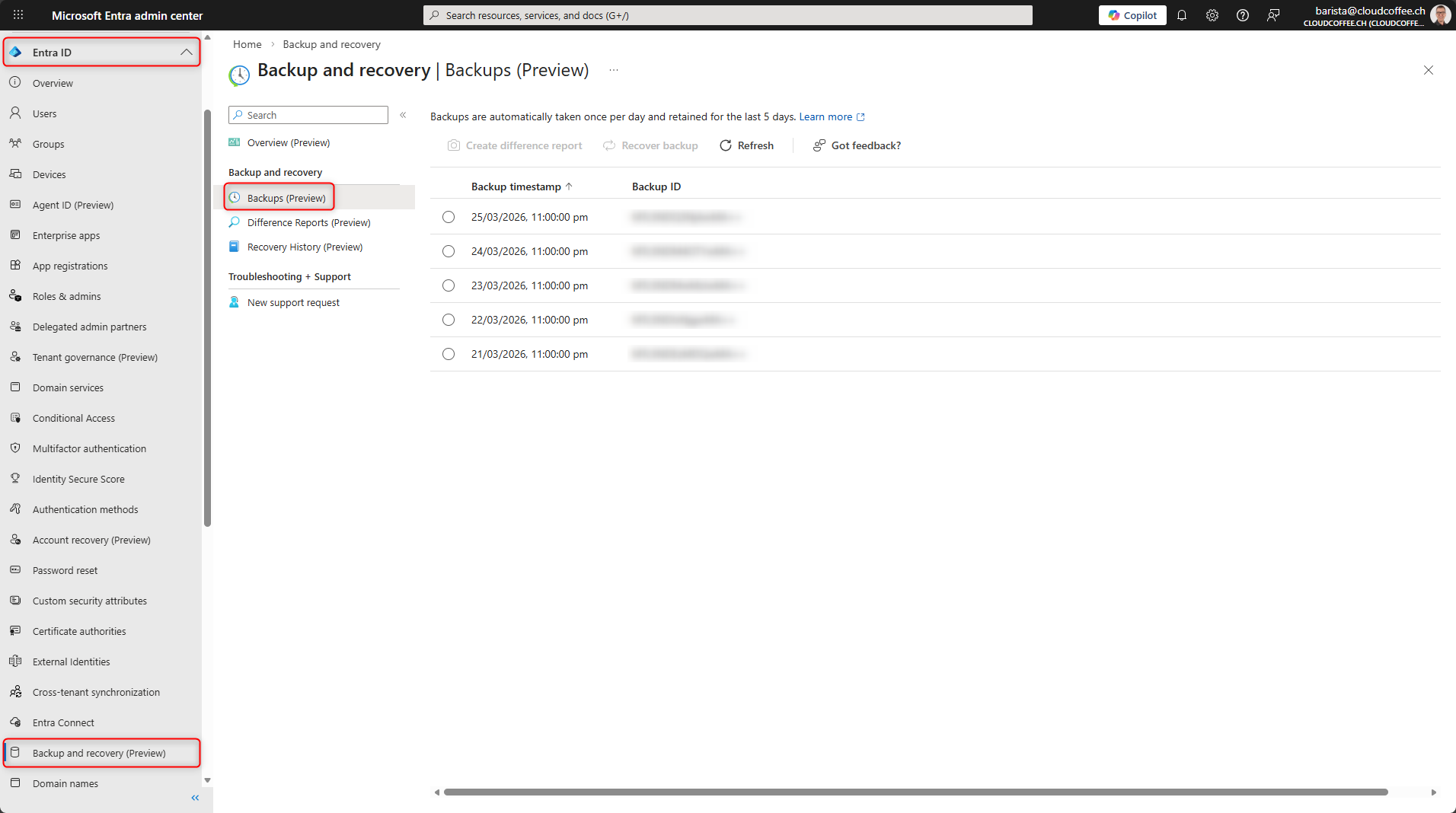
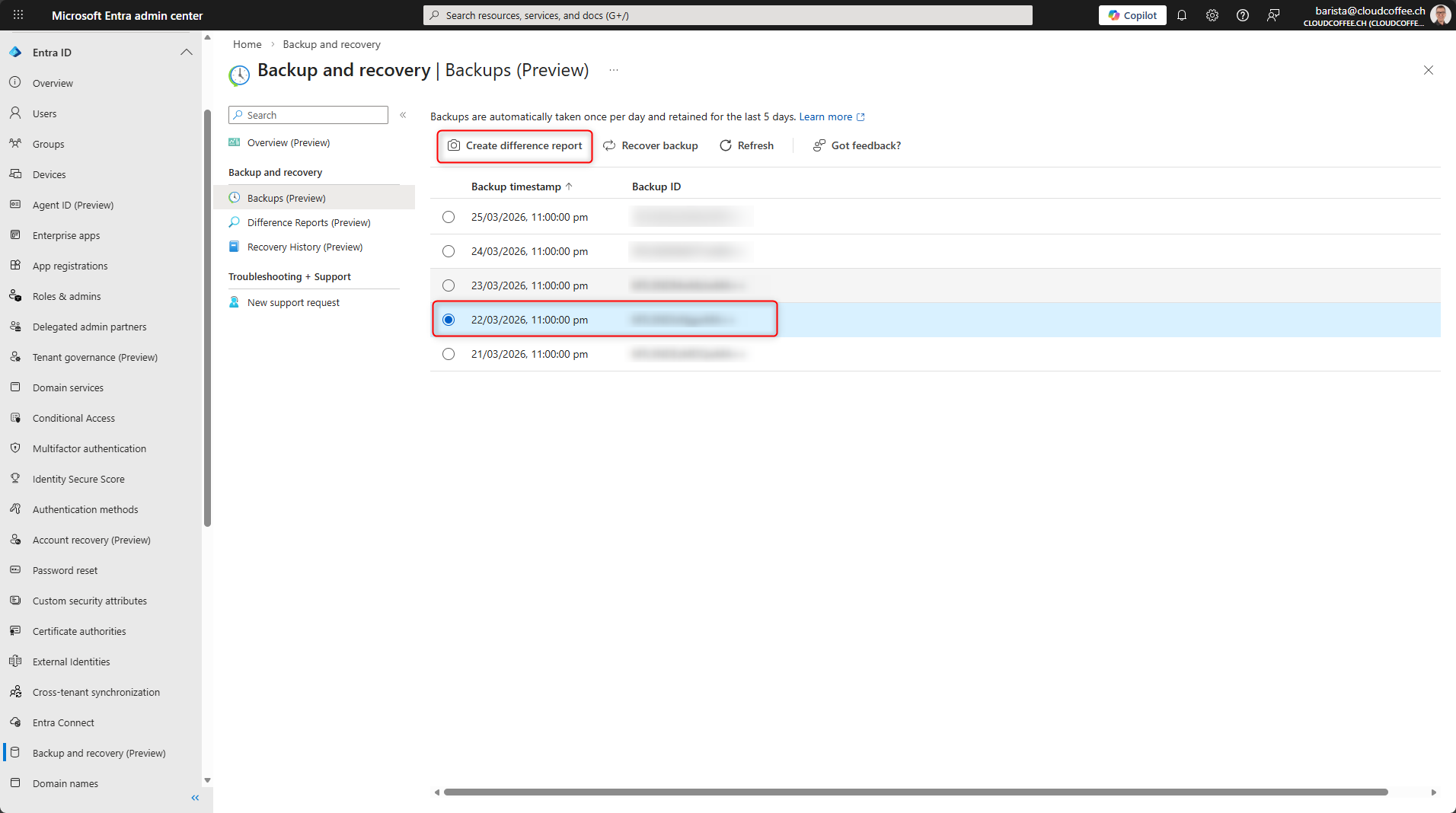
Select the backup and click Create difference report.
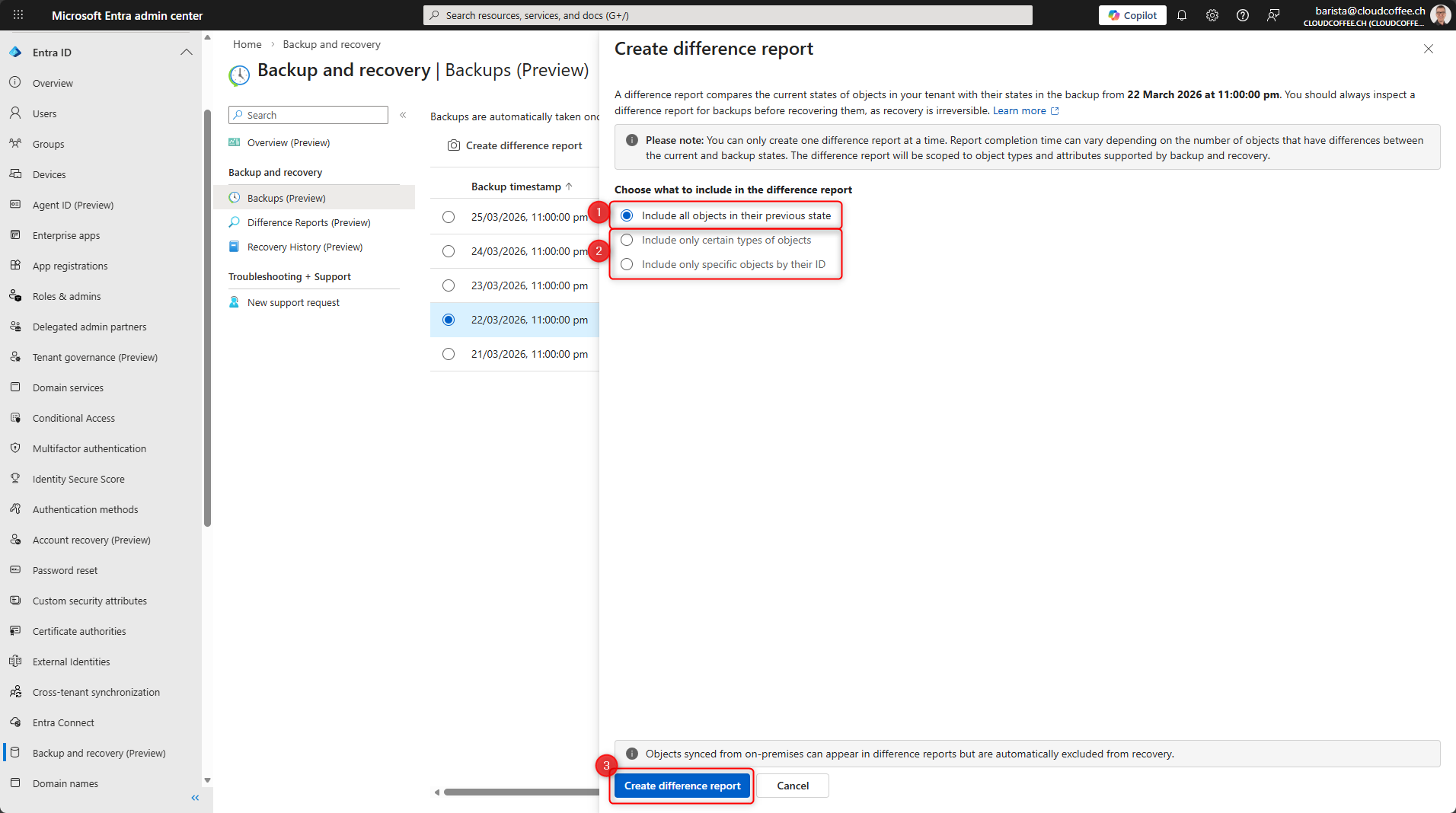
As needed, you can include all objects (1) or only selected objects (2) in the difference report. Click Create difference report (3) to start the report.
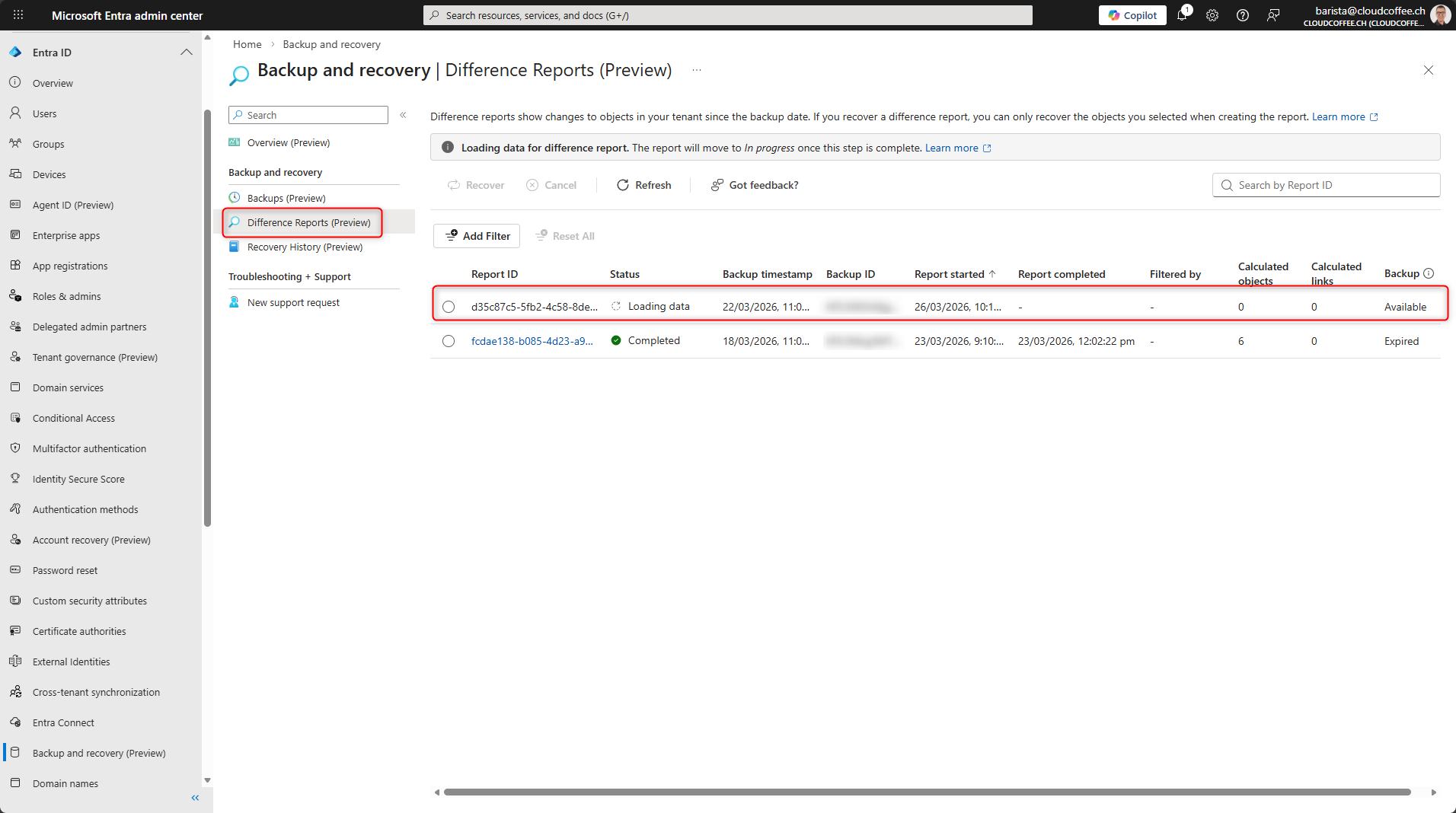
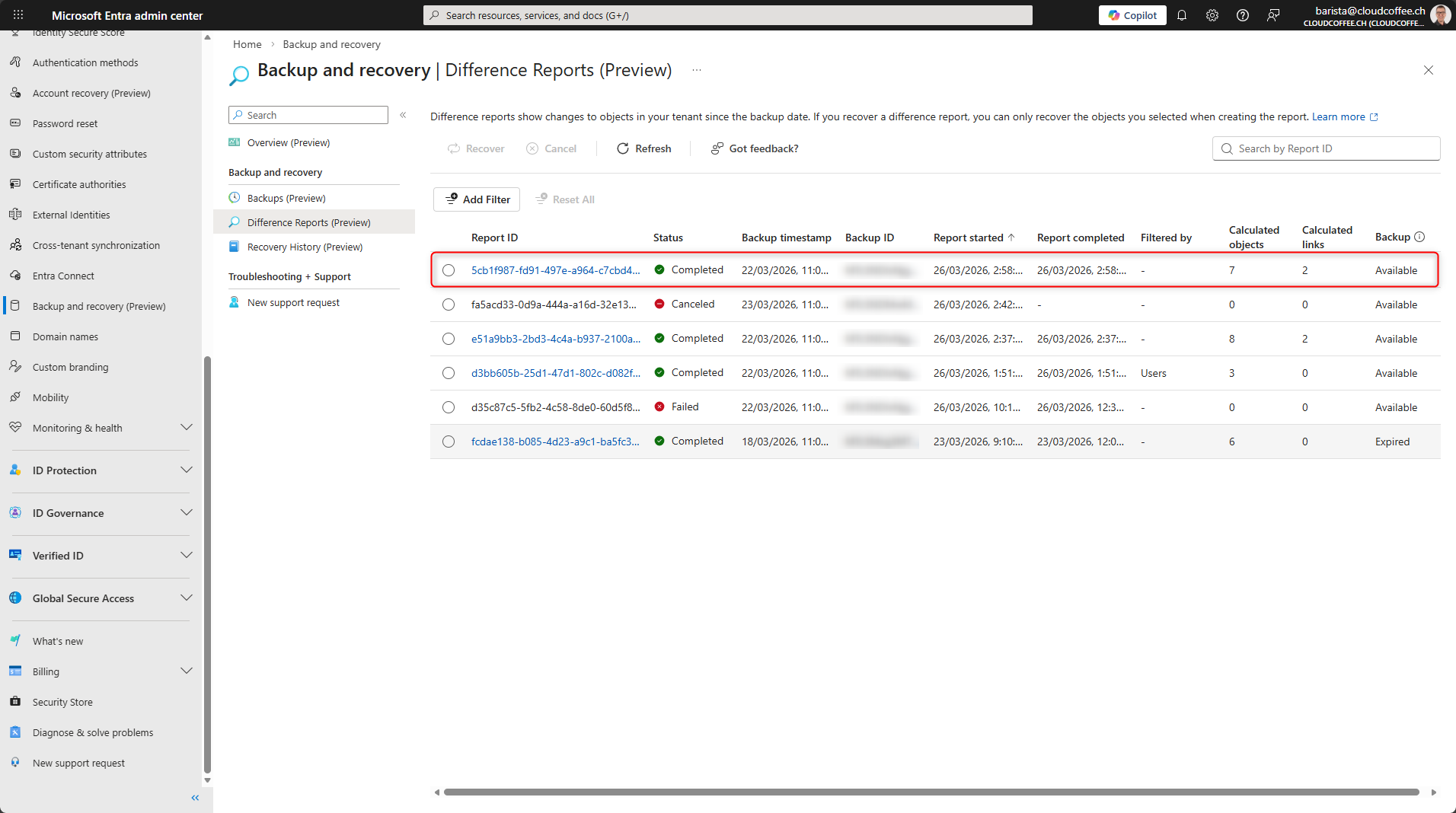
The progress of the difference report is shown under Difference Reports.
After the difference report has been created, select it.
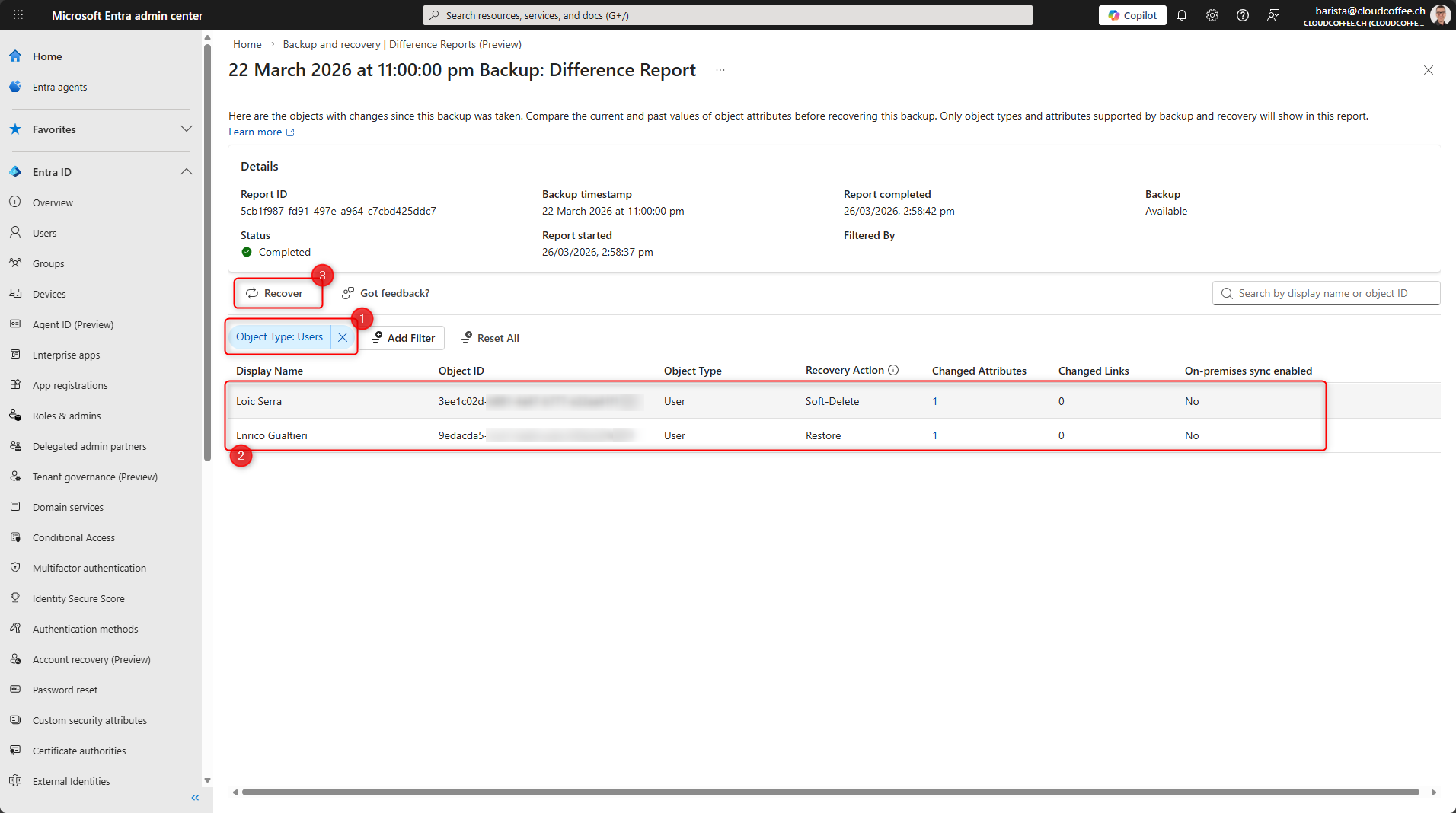
Use Filter (1) to filter and review the required objects (2). Then select Restore (3).
Note: If the difference report was created with a filter, no additional filter can be applied here.
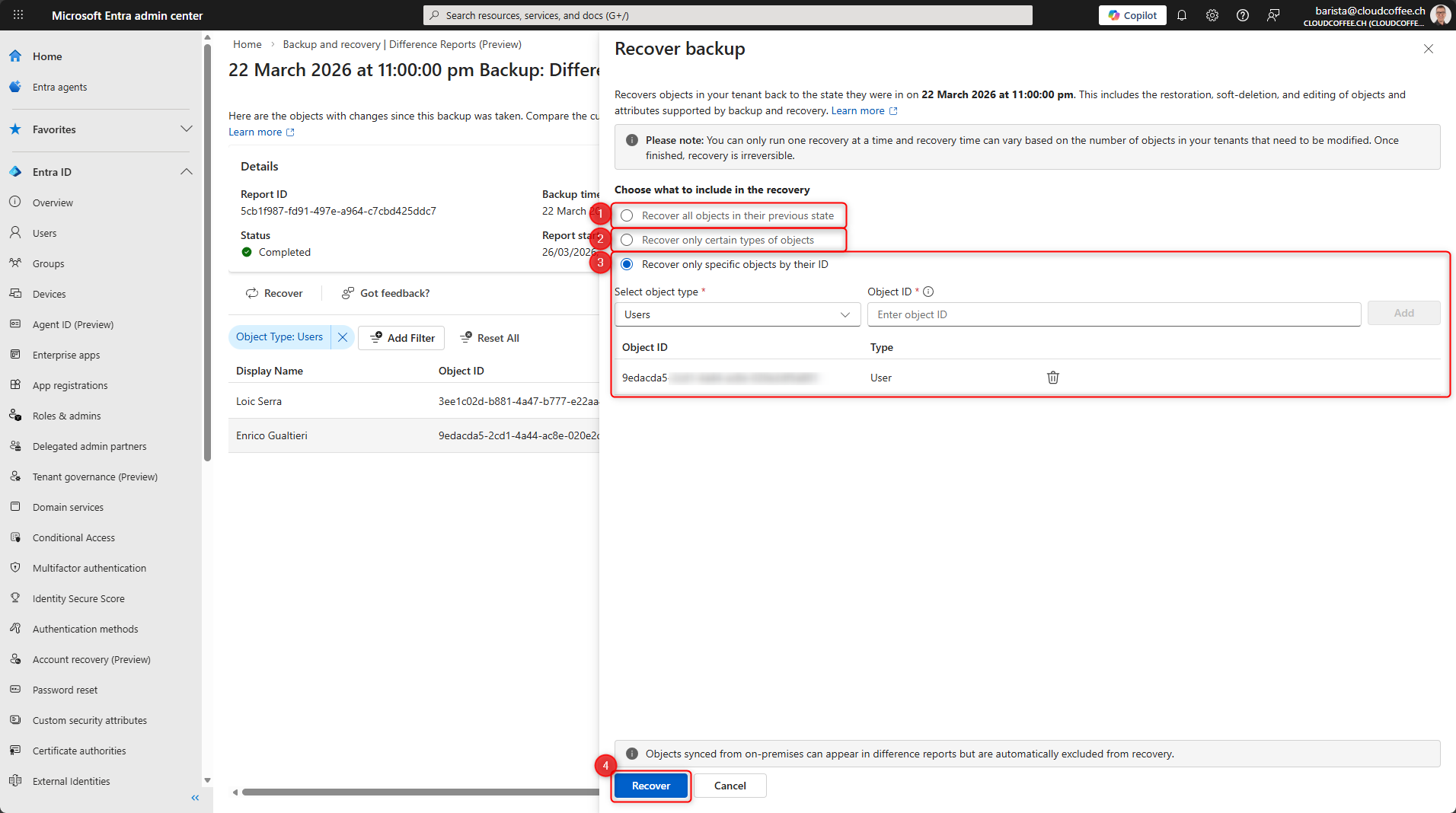
The following restore options are available:
- All objects
- Specific object types (for example users or groups)
- Specific objects by object ID (for example individual users)
Then select Restore (4) to start the operation.
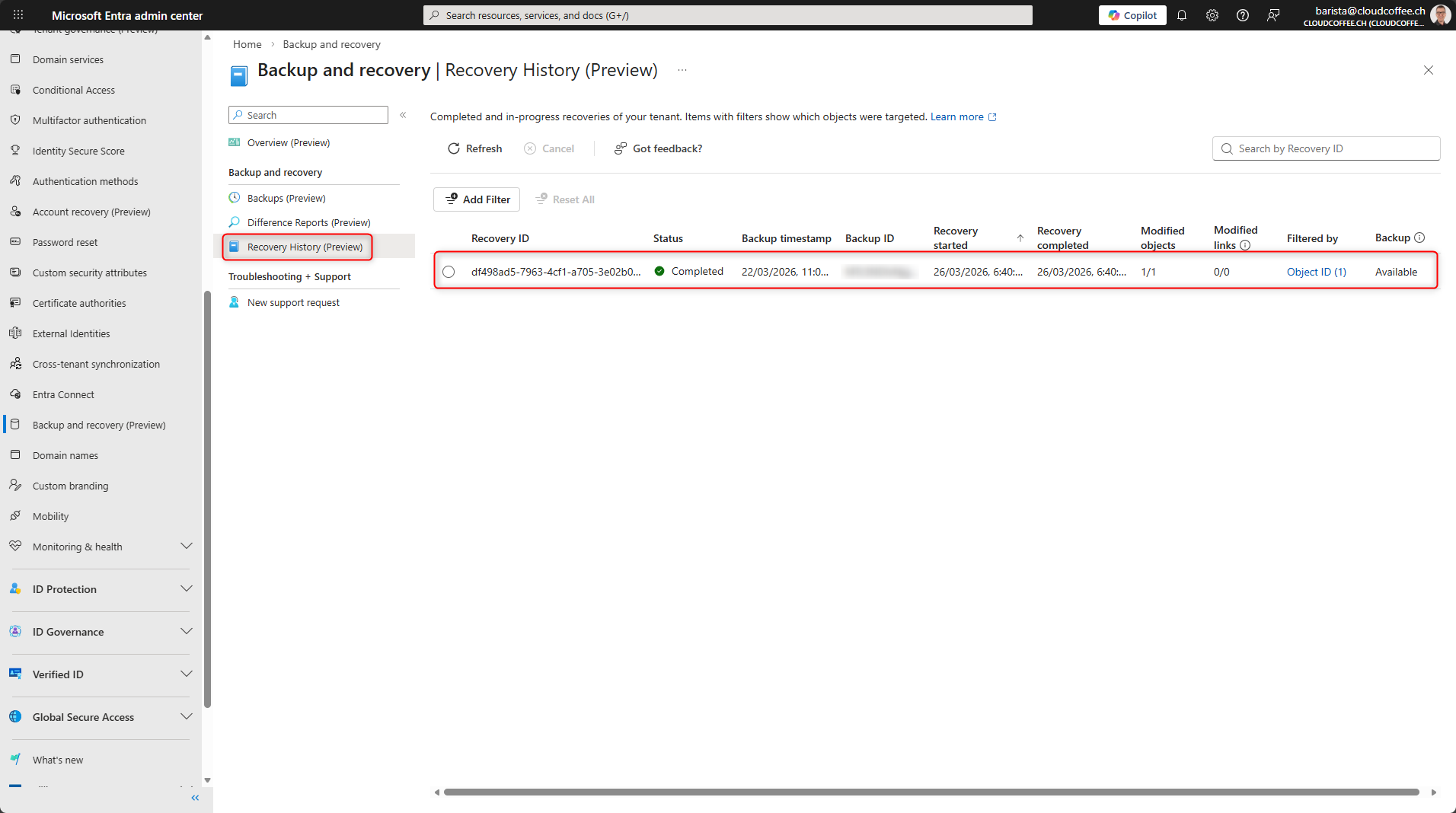
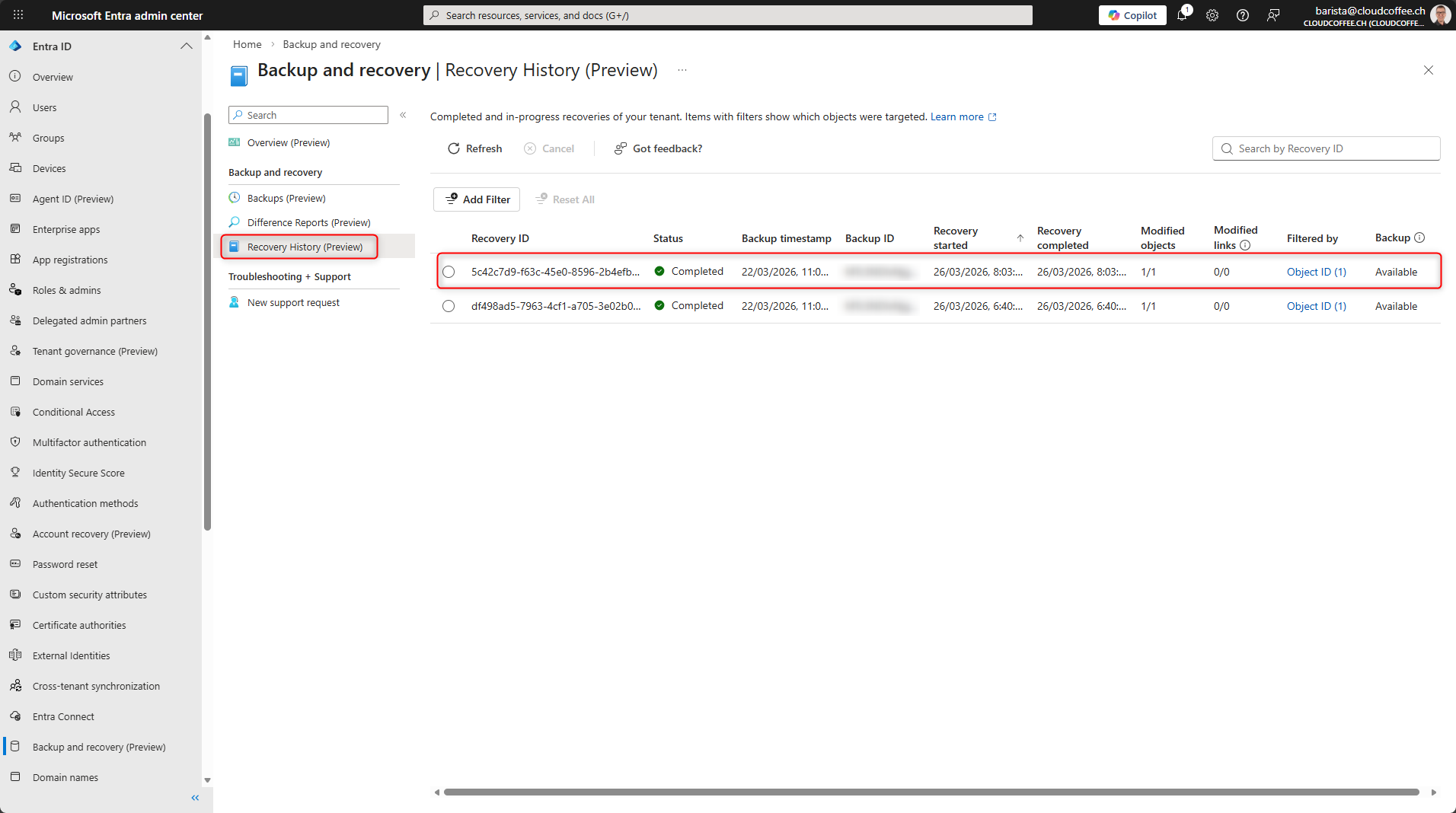
The progress and status of the restore operation are shown in Recovery History.
Direct Recovery from Backup
When performing a direct restore, no difference report is created. Instead, the selected directory objects are restored directly from a backup. The changes are applied without a preview.
A direct restore from a backup is performed in the Microsoft Entra admin center (https://entra.microsoft.com) under Entra ID > Backup and recovery > Backups.
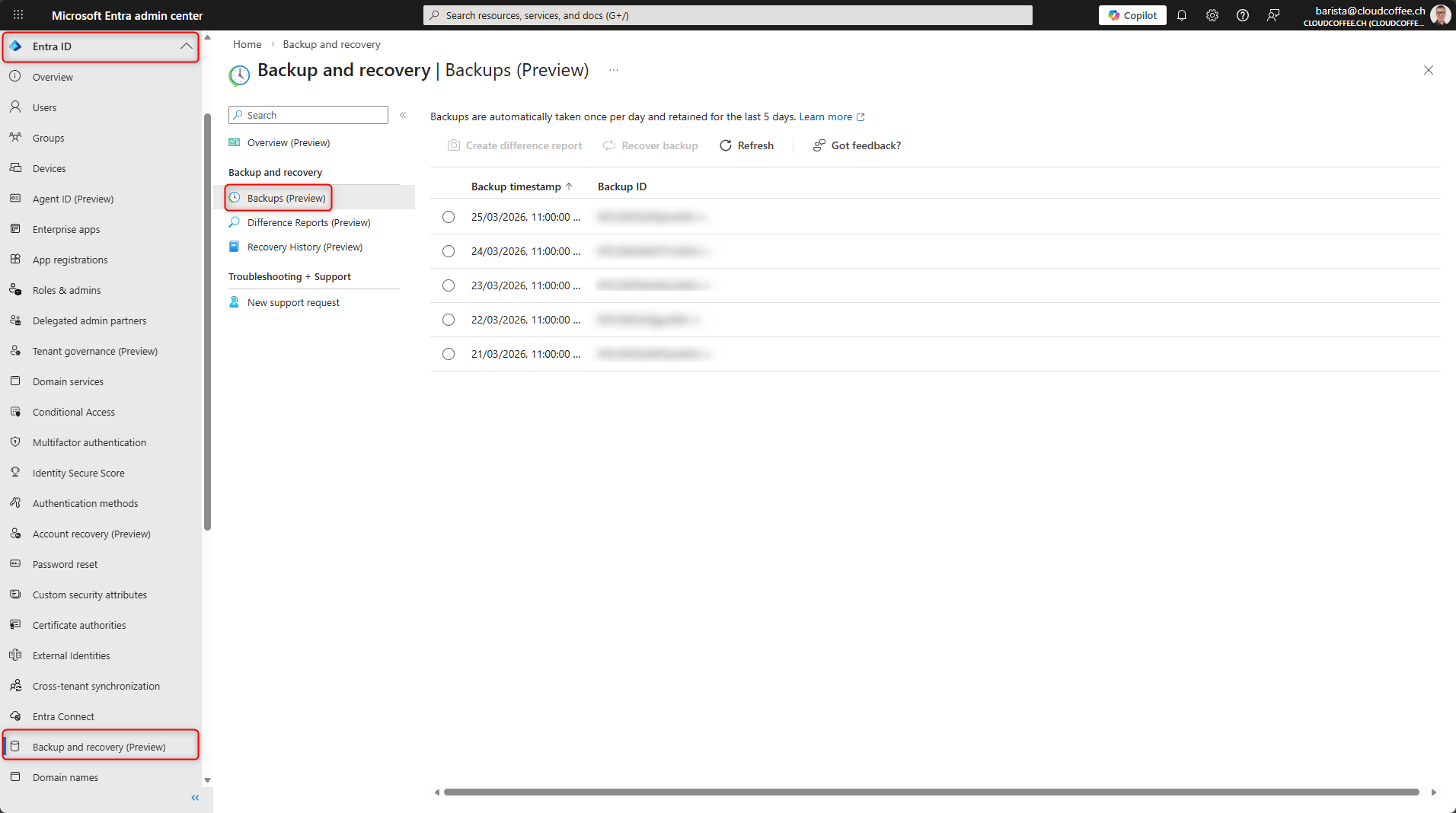
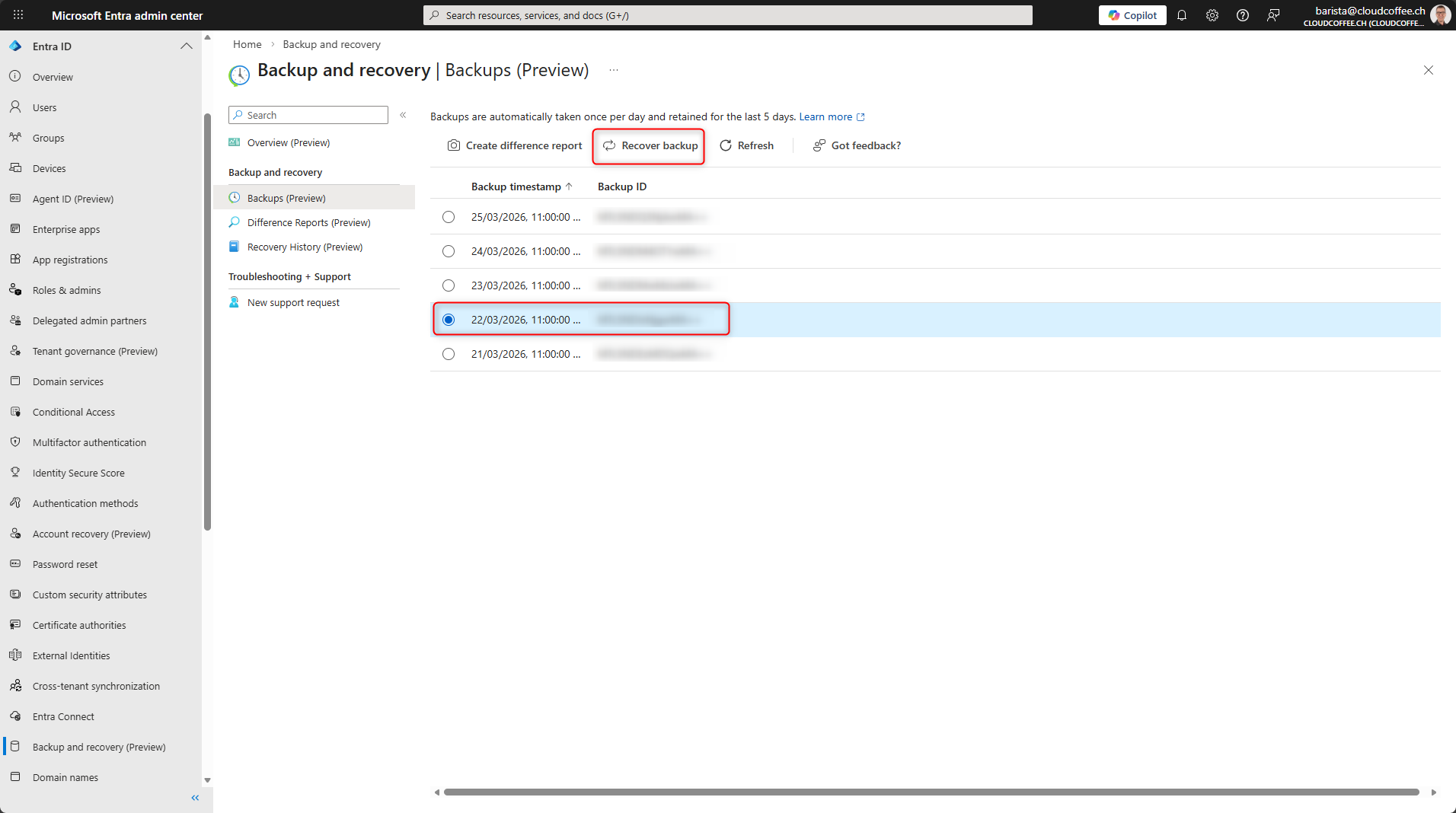
Select the backup and click Recover backup.
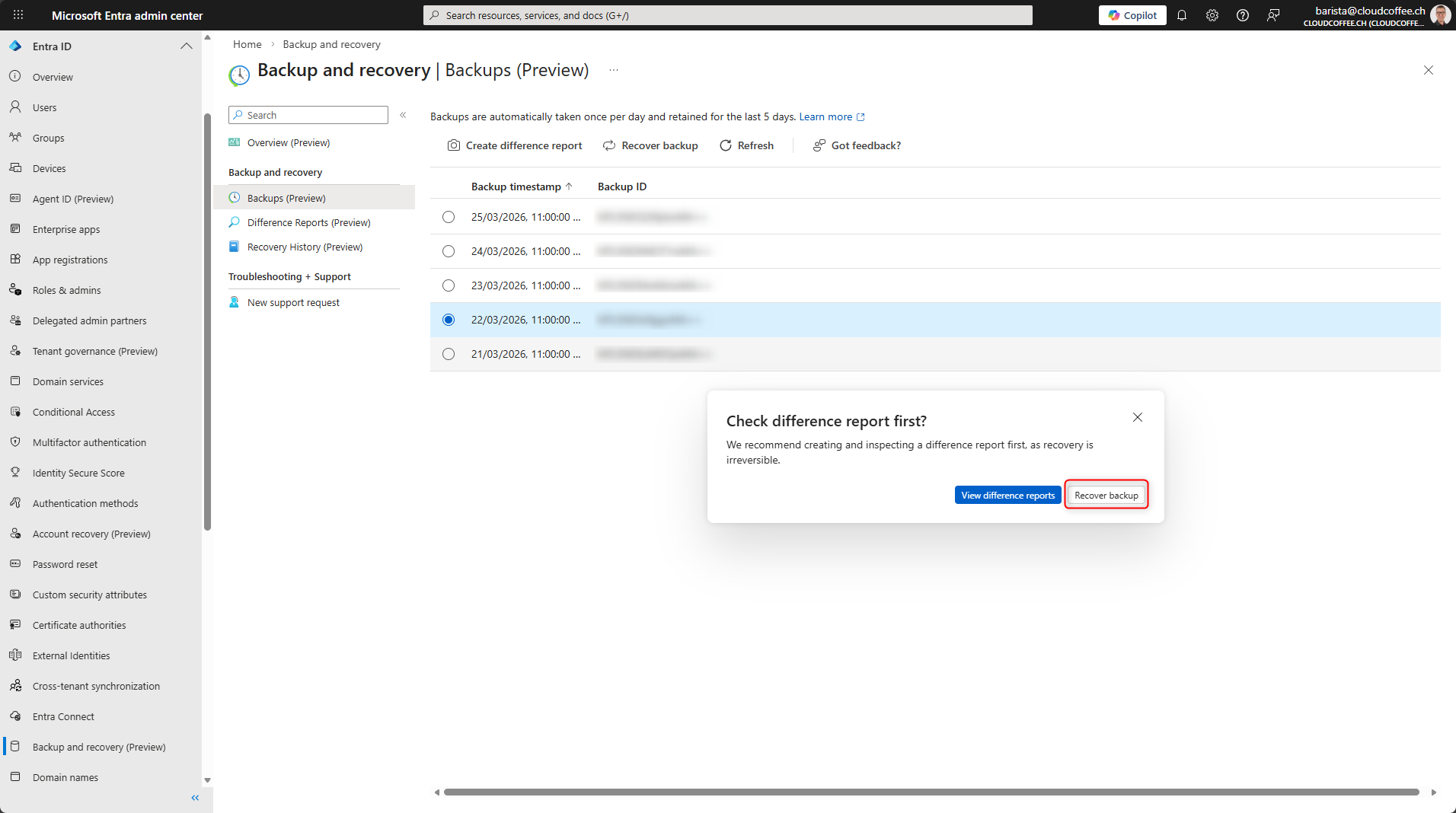
Skip the recommendation to use a difference report by selecting Restore backup.
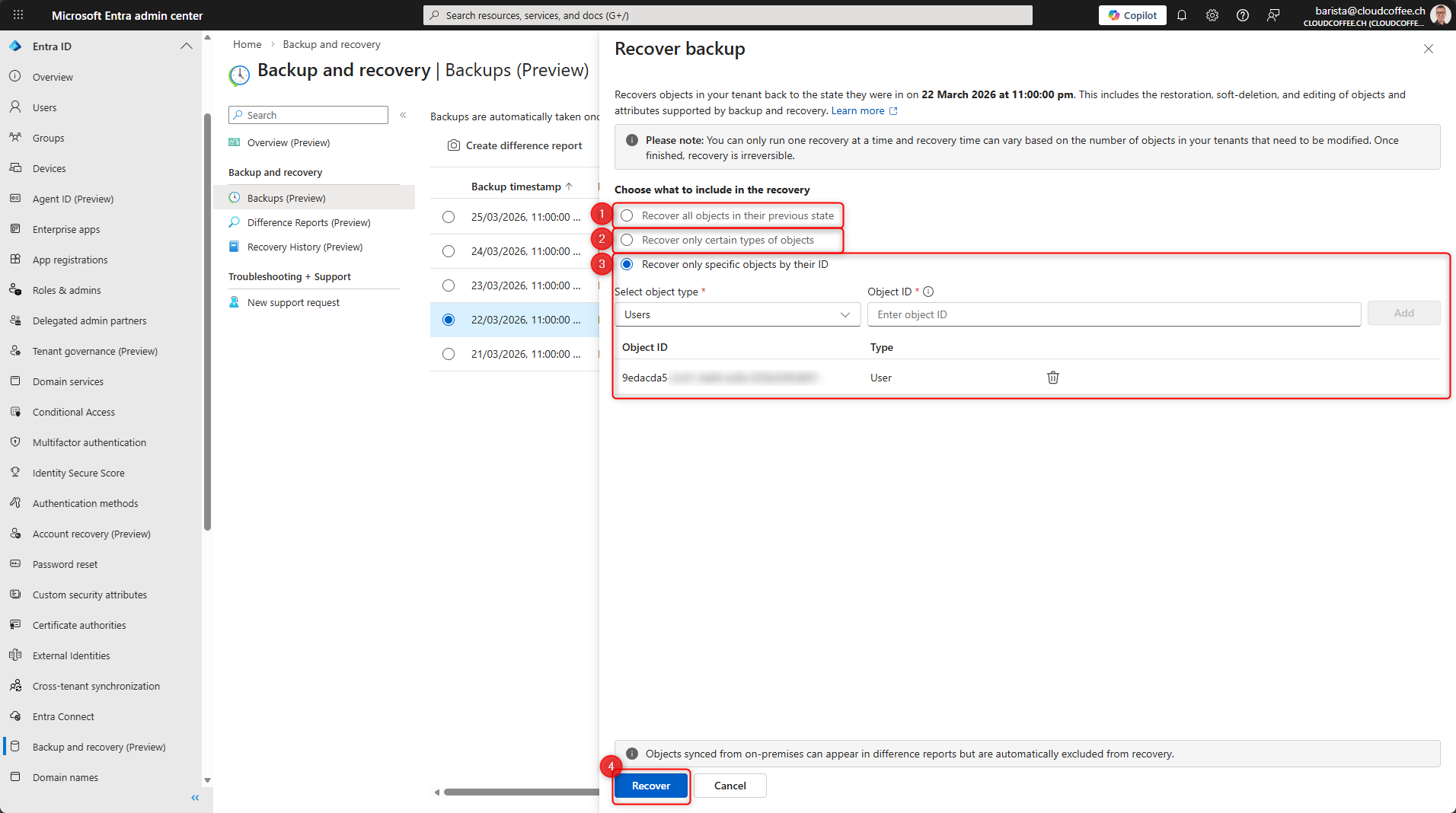
The following restore options are available:
- All objects
- Specific object types (for example users or groups)
- Specific objects by object ID (for example individual users)
Then click Recover (4).
The status of the restore operation is shown in Recovery History.
Good to Know
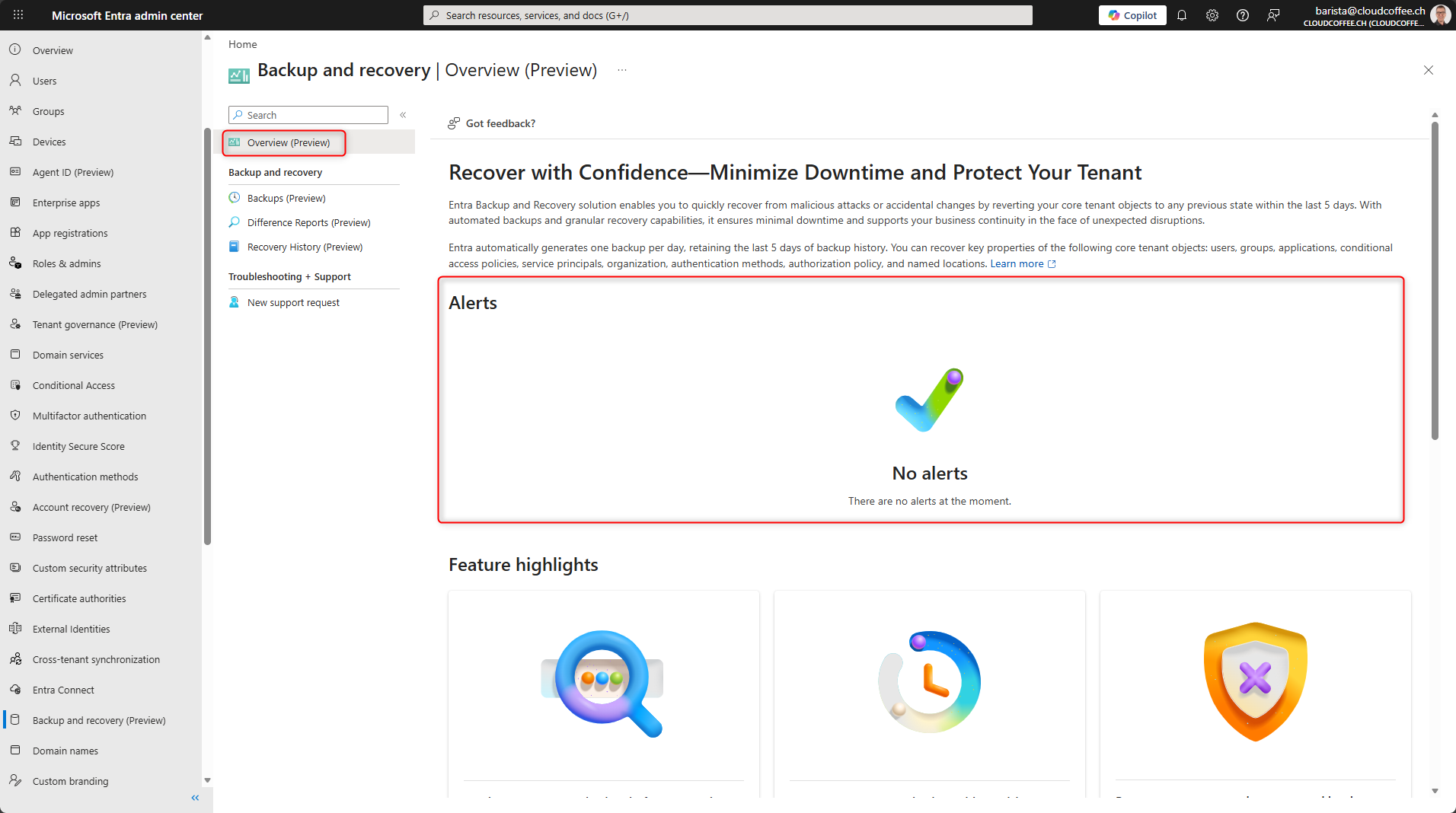
Alerts and Monitoring
Microsoft Entra Backup and Recovery provides current status information in the Overview section.
Limitations for Deleted Objects
Hard deleted objects cannot currently be recovered using Microsoft Entra Backup and Recovery.
Conclusion
Microsoft Entra Backup and Recovery closes an important gap in the operation of Microsoft Entra by enabling directory objects to be backed up and restored natively within the service for the first time. This feature allows fast recovery, especially after unintended or unwanted changes to users, groups, applications, or Conditional Access policies. The current feature set is still limited and continues to expand. It is not a full tenant backup, but a recovery capability for supported directory objects and their attributes.
Fresh content, explained with practical relevance. Stay up to date via LinkedIn and Bluesky.


No marketing. No noise. Just content.
If this post was helpful, a coffee brings back the rich aroma behind the writing.