Microsoft Entra Access Reviews: Governance for User and Guest Access
In Microsoft Entra ID, user and guest access evolves incrementally over time, for example as a result of role changes, project assignments or temporary external collaboration. Access rights that are granted once often remain in place, even when the original business or organizational requirement no longer exists. As a result, common countermeasures such as manual access reviews, follow-ups with group owners or occasional spot checks provide only limited, point-in-time transparency and do not enable a consistent and regular review of access. Decisions are often not documented consistently and are therefore difficult to audit retrospectively.
Microsoft Entra Access Reviews are a core component of Identity Governance in Microsoft Entra ID and enable the regular review of existing access rights. Access Reviews are defined as recurring reviews, executed on a scheduled basis and assigned to reviewers, such as group owners or individuals responsible for access decisions. Configuration is performed centrally in the Microsoft Entra admin center. Microsoft Entra Access Reviews record review decisions and document them in a consistent and auditable manner.
The use of Access Reviews supports effective control of user and guest access and helps remove unnecessary access rights. As a result, Microsoft Entra Access Reviews reduce the risk that no longer required access rights remain in place unintentionally. At the same time, regular reviews ensure that access stays aligned with current organizational and business requirements. This article provides a step-by-step overview of the prerequisites for single-stage Access Reviews, including the required user roles and licenses and explains the configuration in the Microsoft Entra admin center.
Prerequisites and Licensing
Licensing
The Microsoft Entra Access Reviews feature is included in the following plans:
- Microsoft 365 E5
- Enterprise Mobility + Security E5
- Microsoft Entra Suite
- Microsoft Entra ID Governance
- and much more
A comprehensive overview of Microsoft licensing plans and their included features is available at https://m365maps.com/.
Roles
For Microsoft Entra Access Reviews, the following role aligns with the principle of least privilege.
| Role | Permission |
| Identity Governance Administrator | Create, configure and manage Access Reviews |
Manage Access Reviews
Create Access Reviews
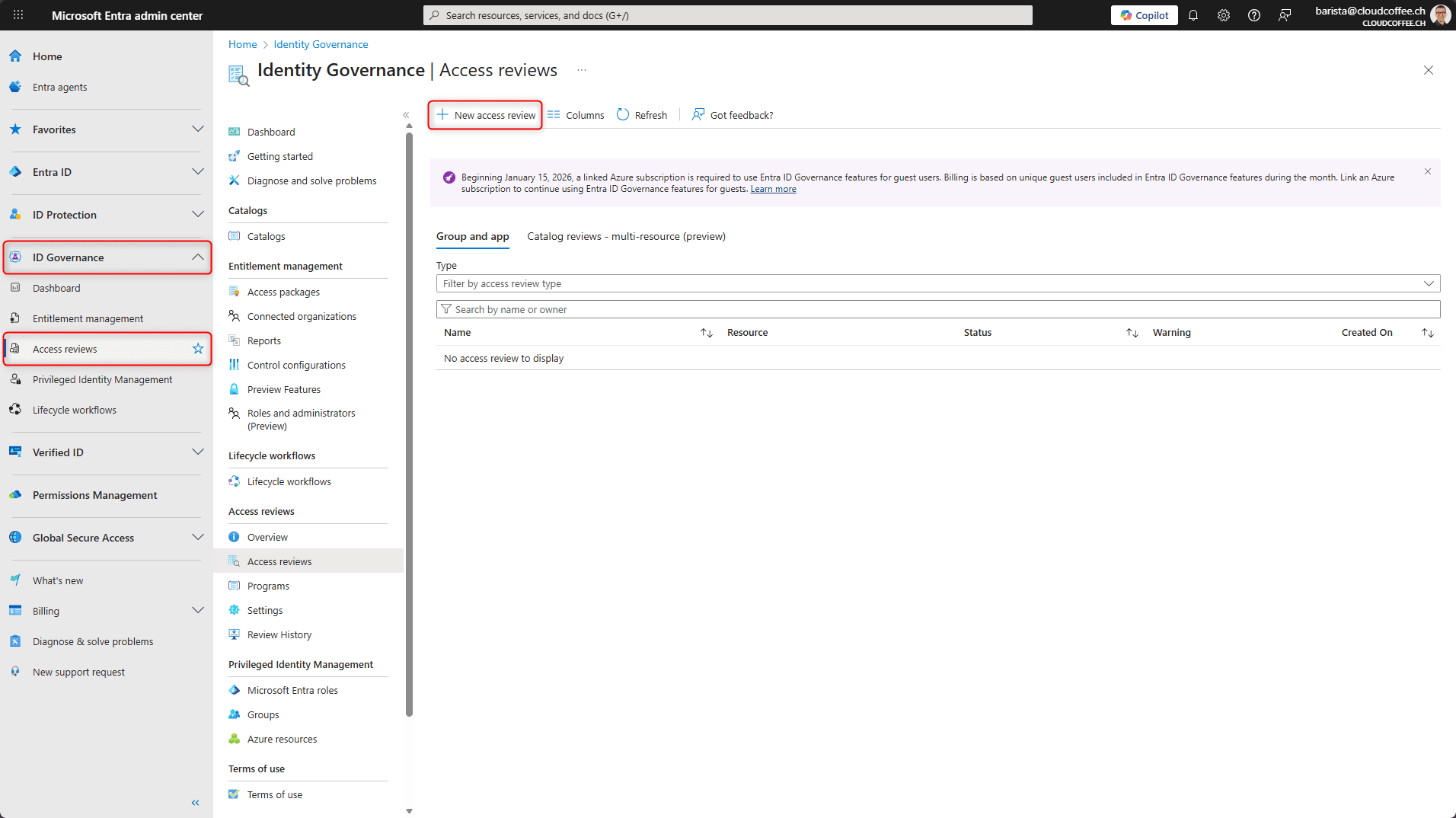
Access Reviews are created in the Microsoft Entra admin center (https://entra.microsoft.com) under ID Governance > Access reviews > New access review.
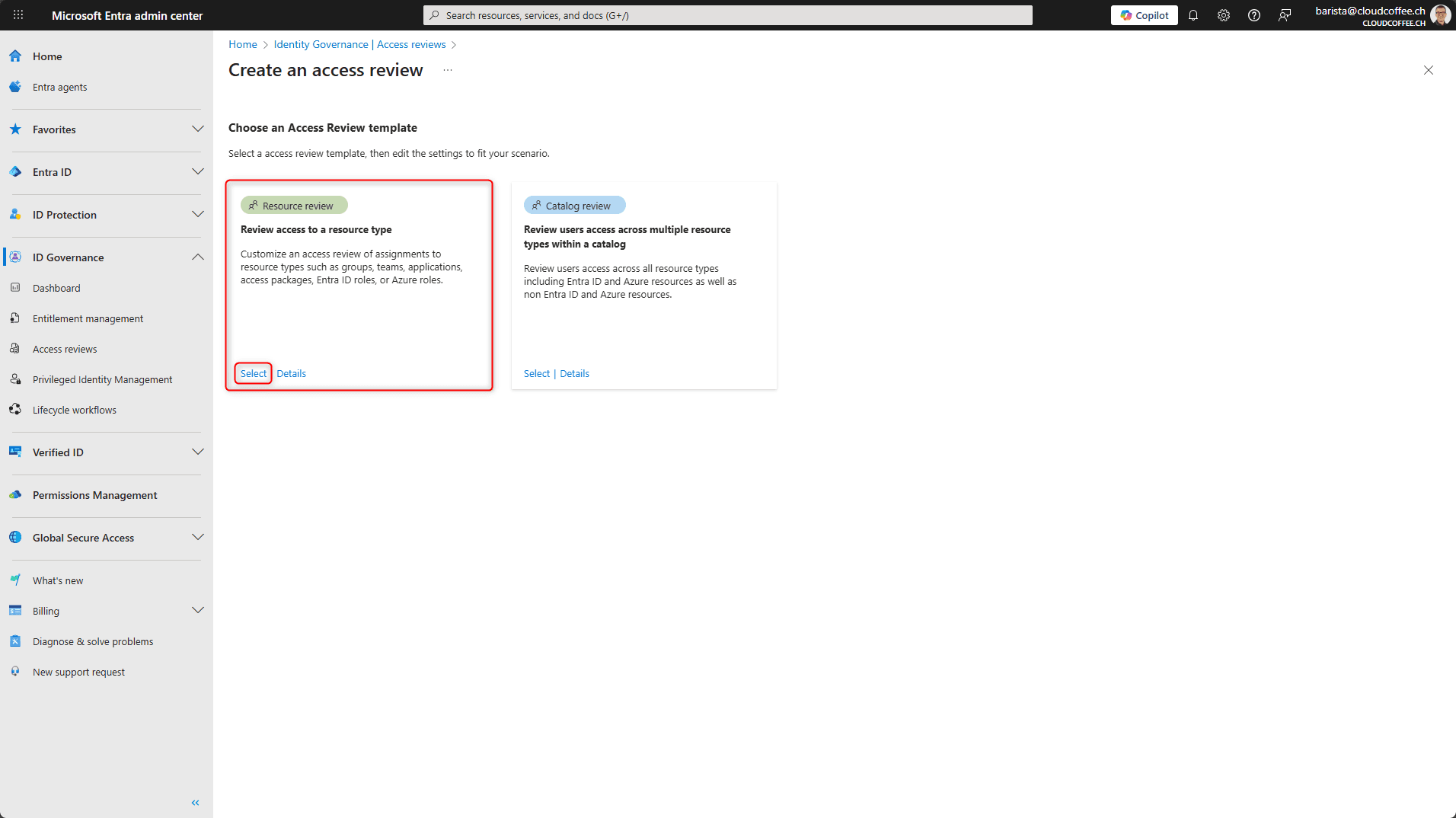
Select Review access to a resource type
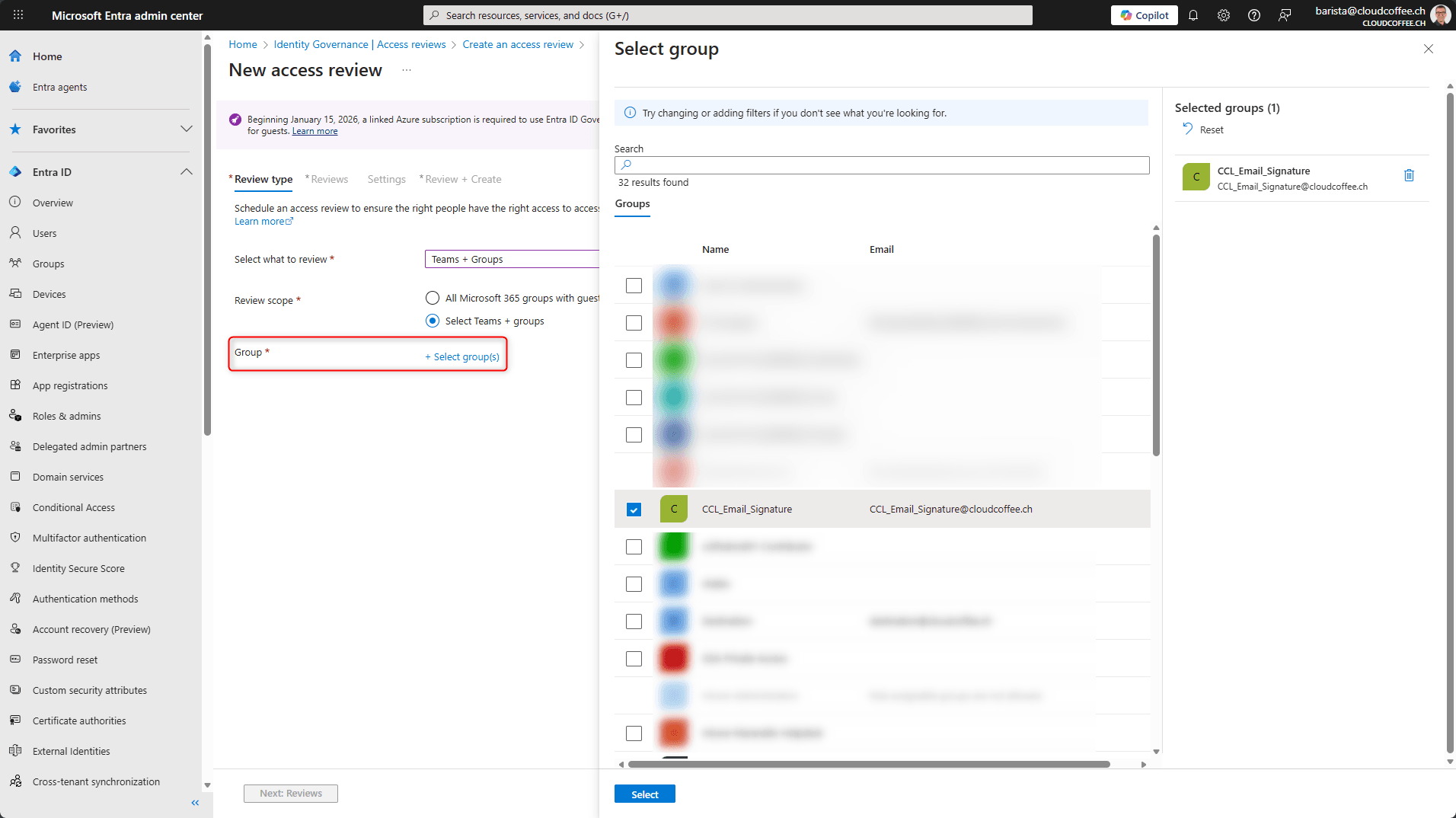
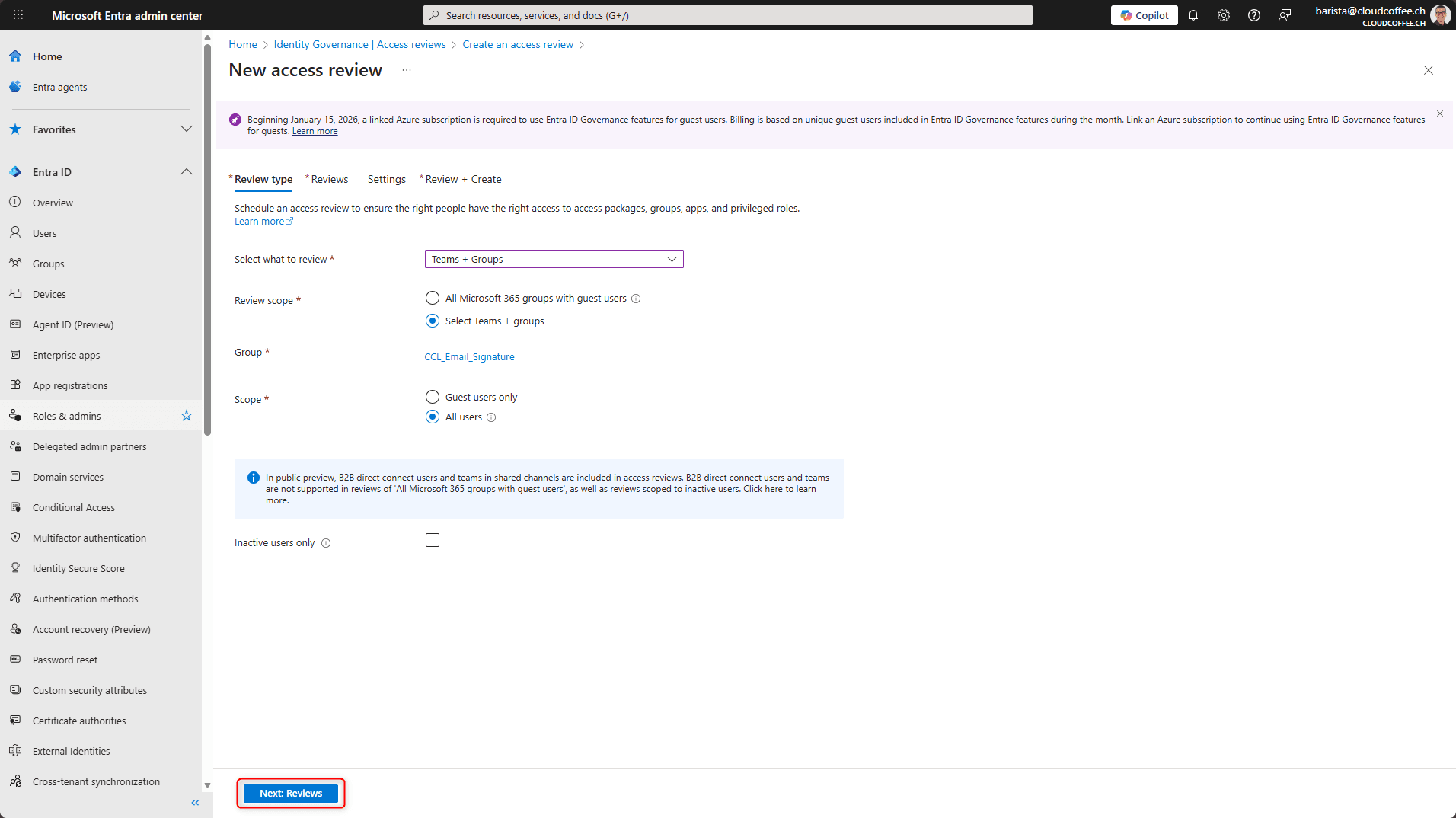
In the Select what to review (1) section, select Teams and Groups.
Two options are available in the Review scope (2) section:
All Microsoft 365 groups with guest users applies to all Teams and Microsoft 365 groups with guest access across the organization, excluding dynamic groups and groups that can be assigned to roles.
Select Teams + groups allows targeted selection of specific Teams or groups.
In this example, Select Teams + groups is used.

Under Group, all groups that should be included in the Access Review can be selected.
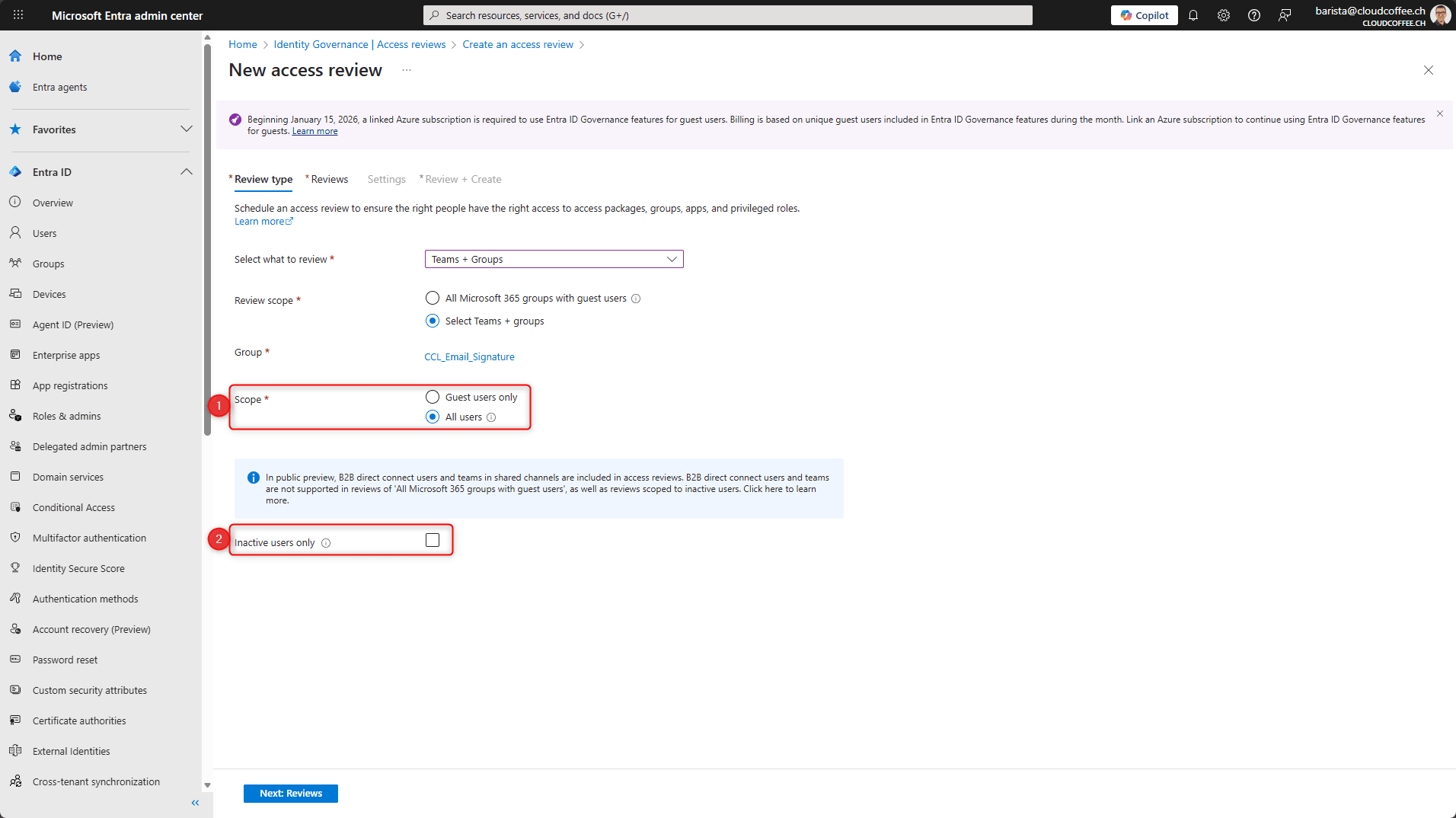
Under Scope (1), the user groups to be included in the Access Review are defined.
Guest users only limits the review to Microsoft Entra B2B guest users.
All users extends the review to all user objects.
Optionally, the Access Review can be limited to inactive users (2). After enabling this option, the number of days of inactivity can be specified.
In this example, the All users option is used without filtering for inactive users.
Select Next: Reviews
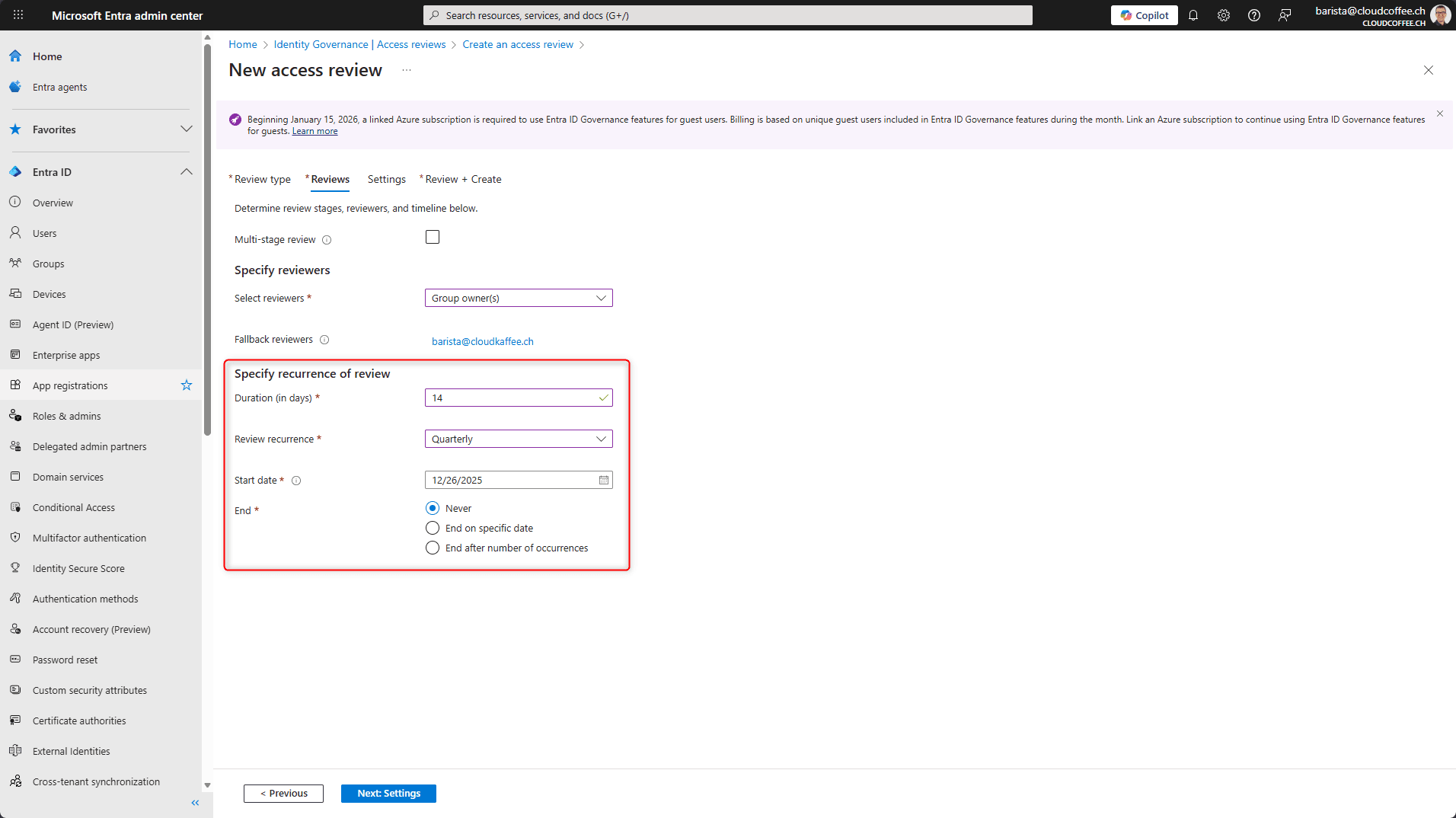
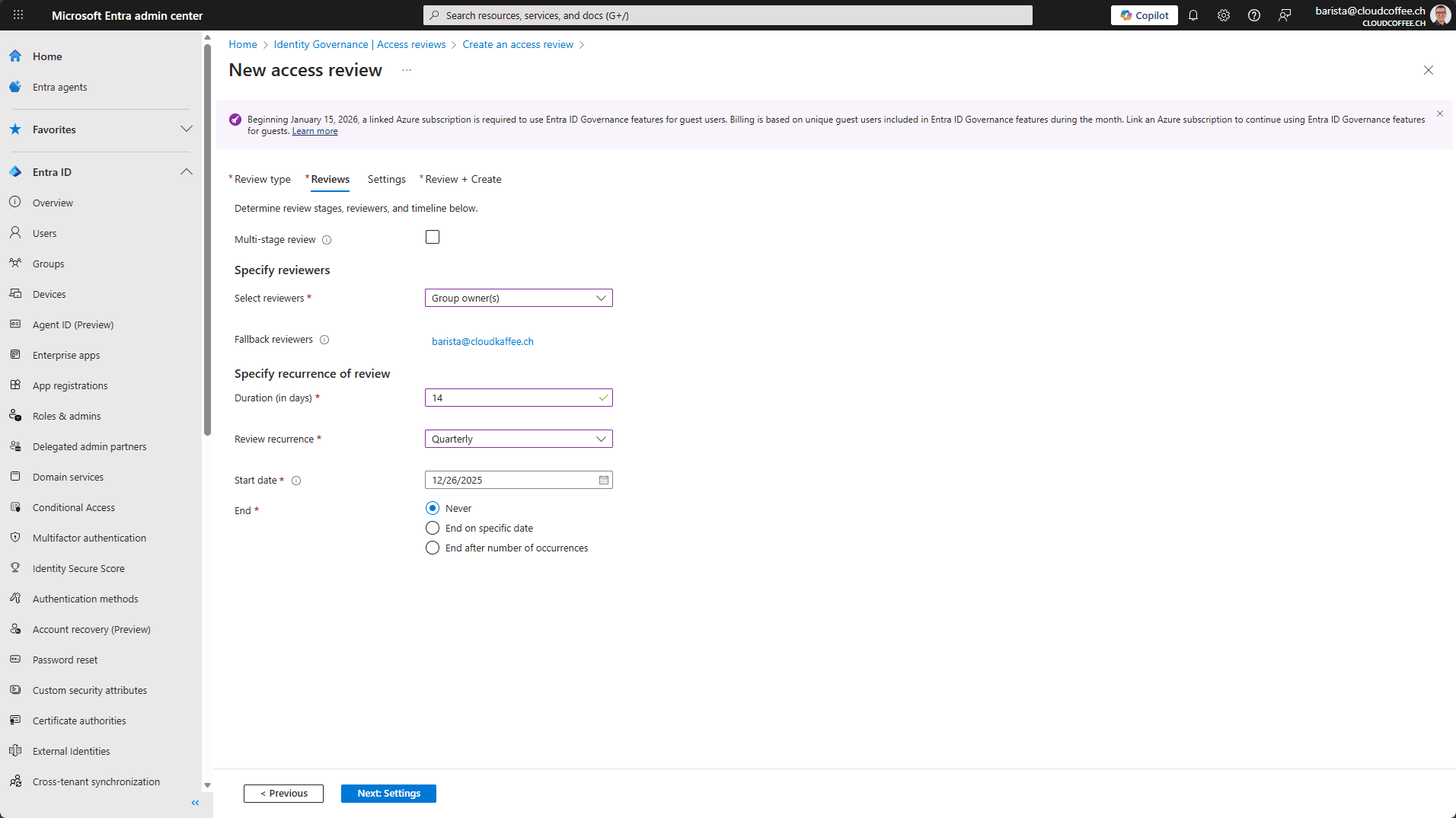
In the next step, Select reviewers, it is defined who performs the Access Review for the group.
The following reviewers are available:
- Group owners
- Selected users or groups
- Users review their own access
- Managers of users
When Managers or Group owners are selected, a fallback reviewer can additionally be specified to take over if no manager or group owner is assigned.

In the Specify recurrence of review section, it is defined how long the Access Review runs and over which period it is performed.
Duration (in days) defines the period during which reviewers can submit their decisions.
Review recurrence defines the interval at which the Access Review is repeated. The available options are One time, Weekly, Monthly, Quarterly, Semi-annually and Annually.
The Start date defines when the review series begins.
The End date determines when the review series ends. The available options are Never, End on specific date or End after number of occurrences.
Select Next: Settings
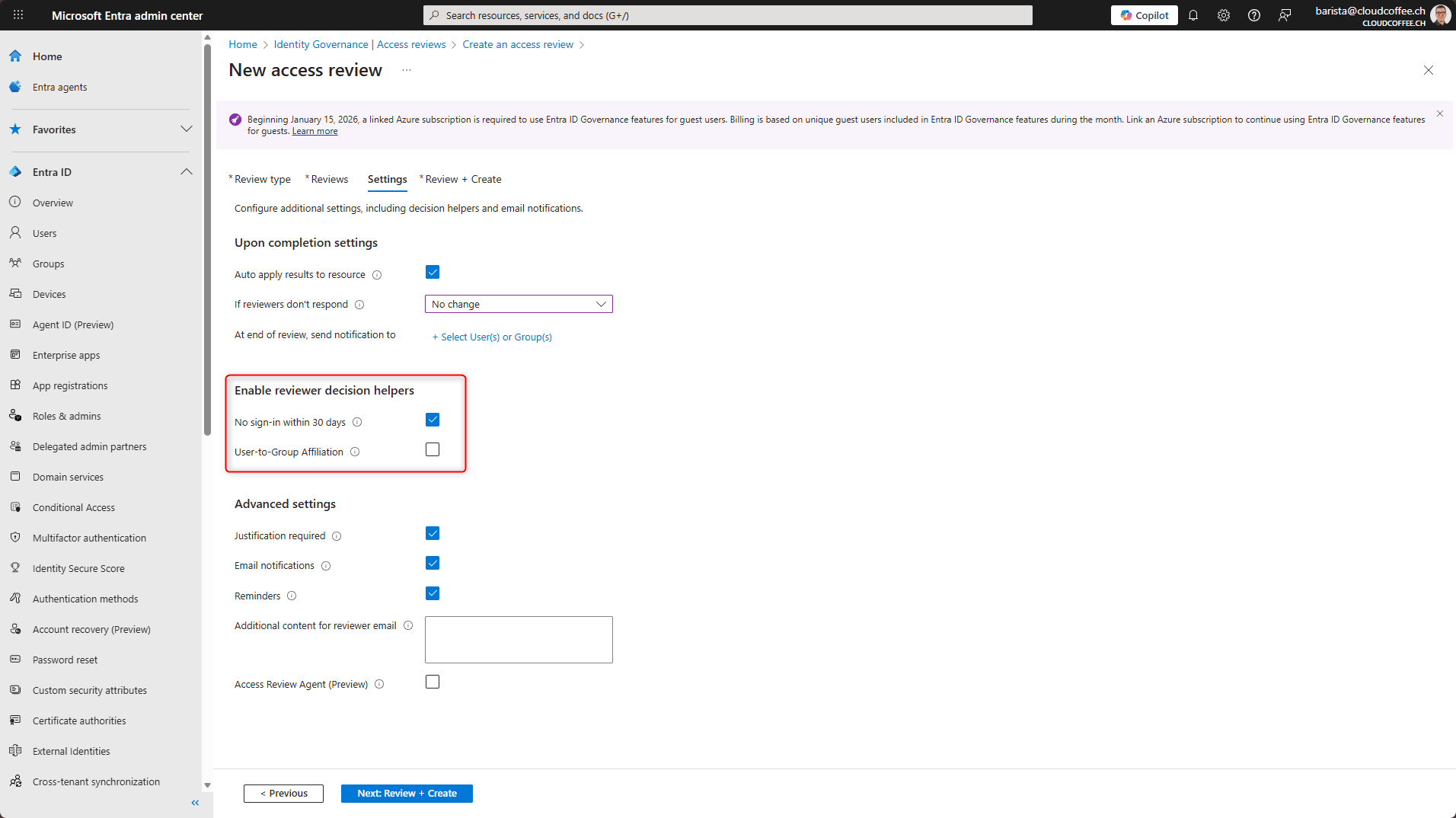
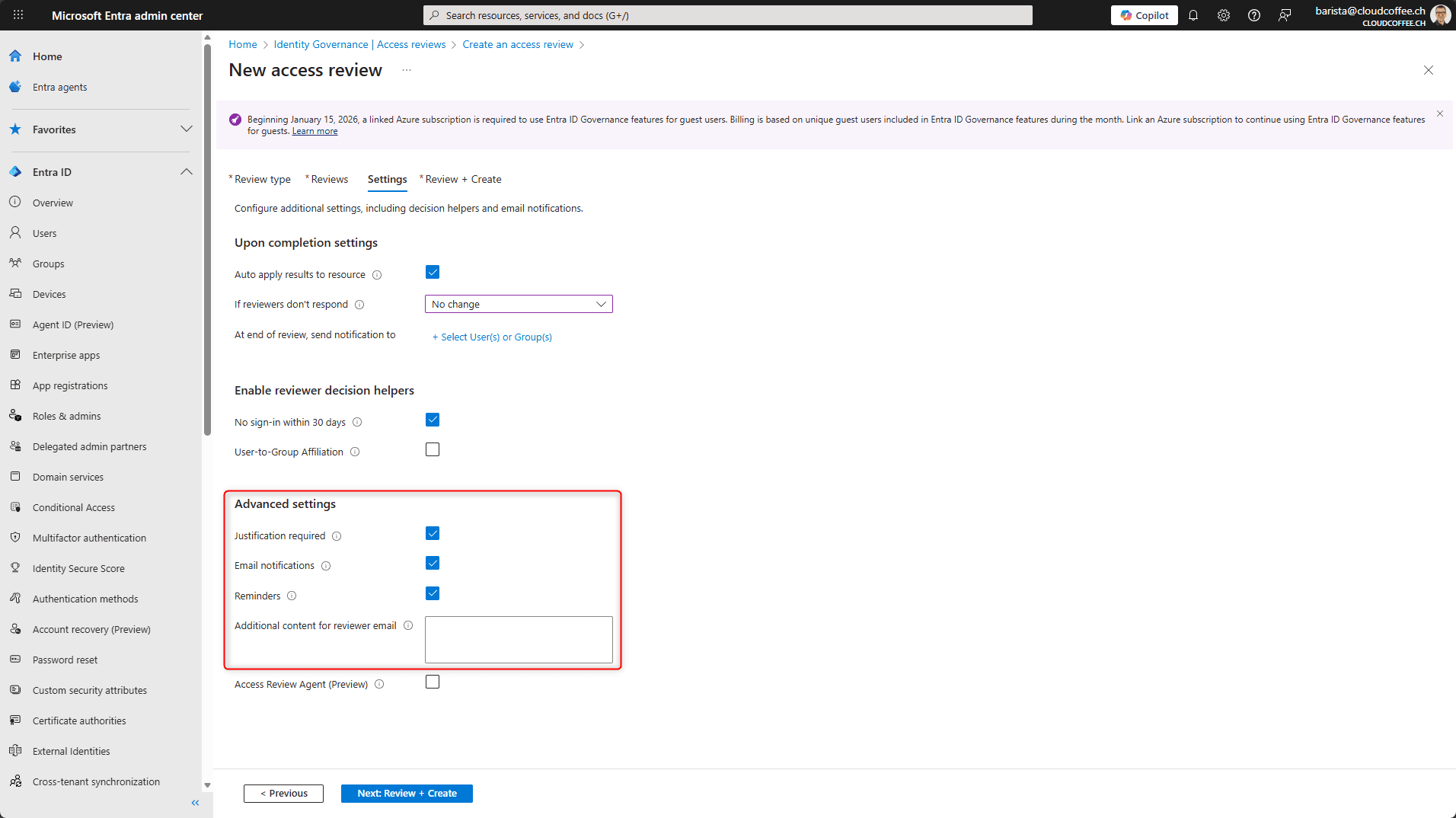
Under Upon completion settings, the processing of Access Review results is defined.
With Auto apply results to resource, the review decisions are applied automatically after the Access Review is completed. If this option is disabled, the Access Review only records the results and does not make any immediate changes to the resource. In this case, any required changes must be implemented manually.
The If reviewers don’t respond option defines how access without a decision is handled. The available options are No change, Remove access, Approve access or Take recommendations. The recommendation (decision guidance) is defined in the next section.
The At end of review, send notification to option allows users or groups to be notified after the Access Review is completed.

Under Enable reviewer decision helpers, additional information can be displayed to support reviewers in making their decisions.
No sign-in within 30 days indicates whether a user has not signed in during the last 30 days. This information serves as an indicator of access that may no longer be required.
The User-to-Group Affiliation option shows reviewers which other groups a user is a member of. This helps assess whether the access aligns with the user’s current role or responsibility.
Under Advanced settings, additional control and notification options for the Access Review are configured.
Justification required specifies that reviewers must provide a justification when submitting their decision. The decision cannot be completed without providing a justification.
The Email notifications option controls whether reviewers are notified by email when an Access Review starts and when it is completed.
Reminders are used to send automatic reminders to reviewers until a decision has been made.
In the Additional content for email to reviewer field, a custom text can be specified that is added to the automated notification emails, for example to provide additional context for the review.
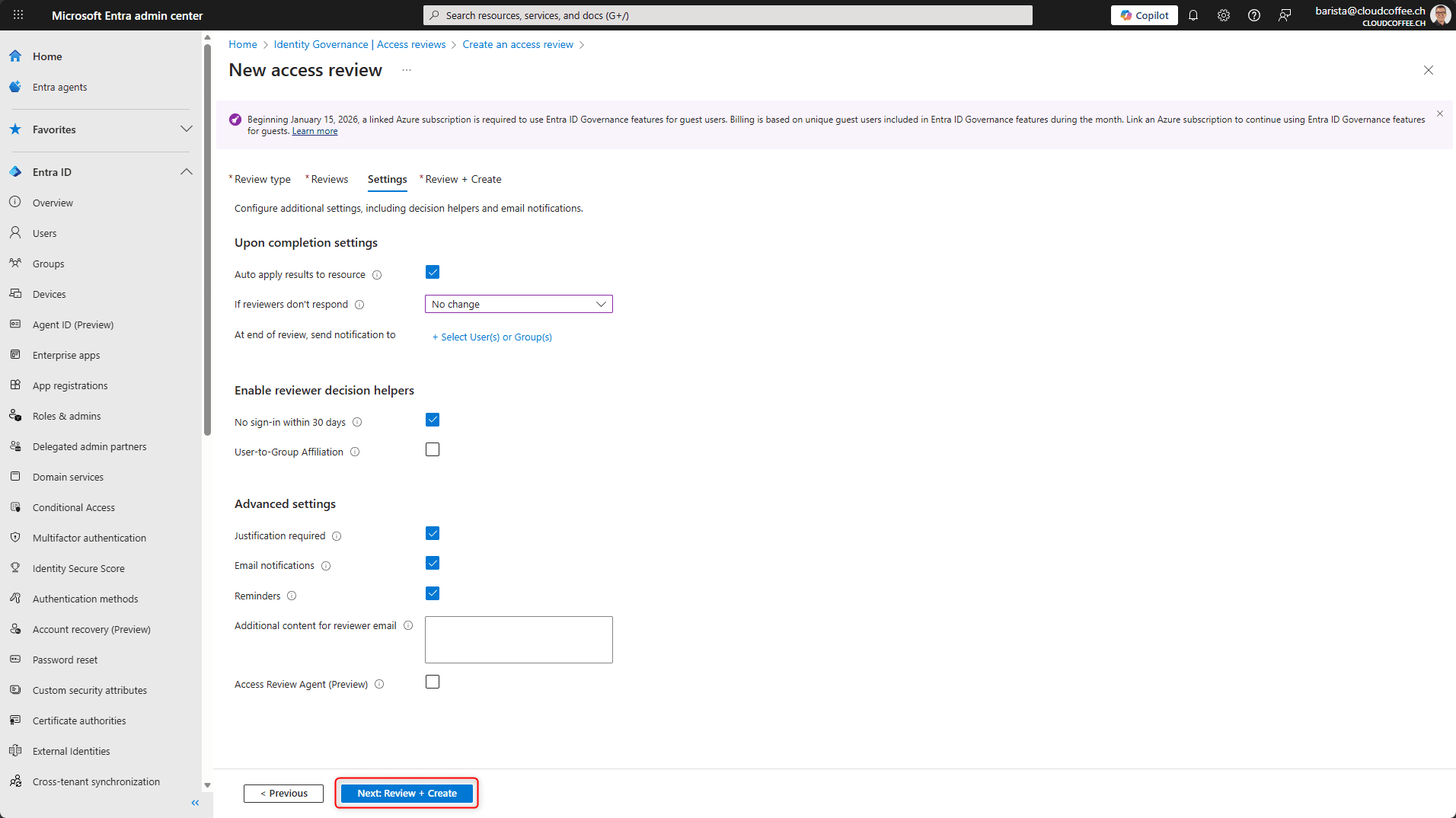
Select Next: Review + create
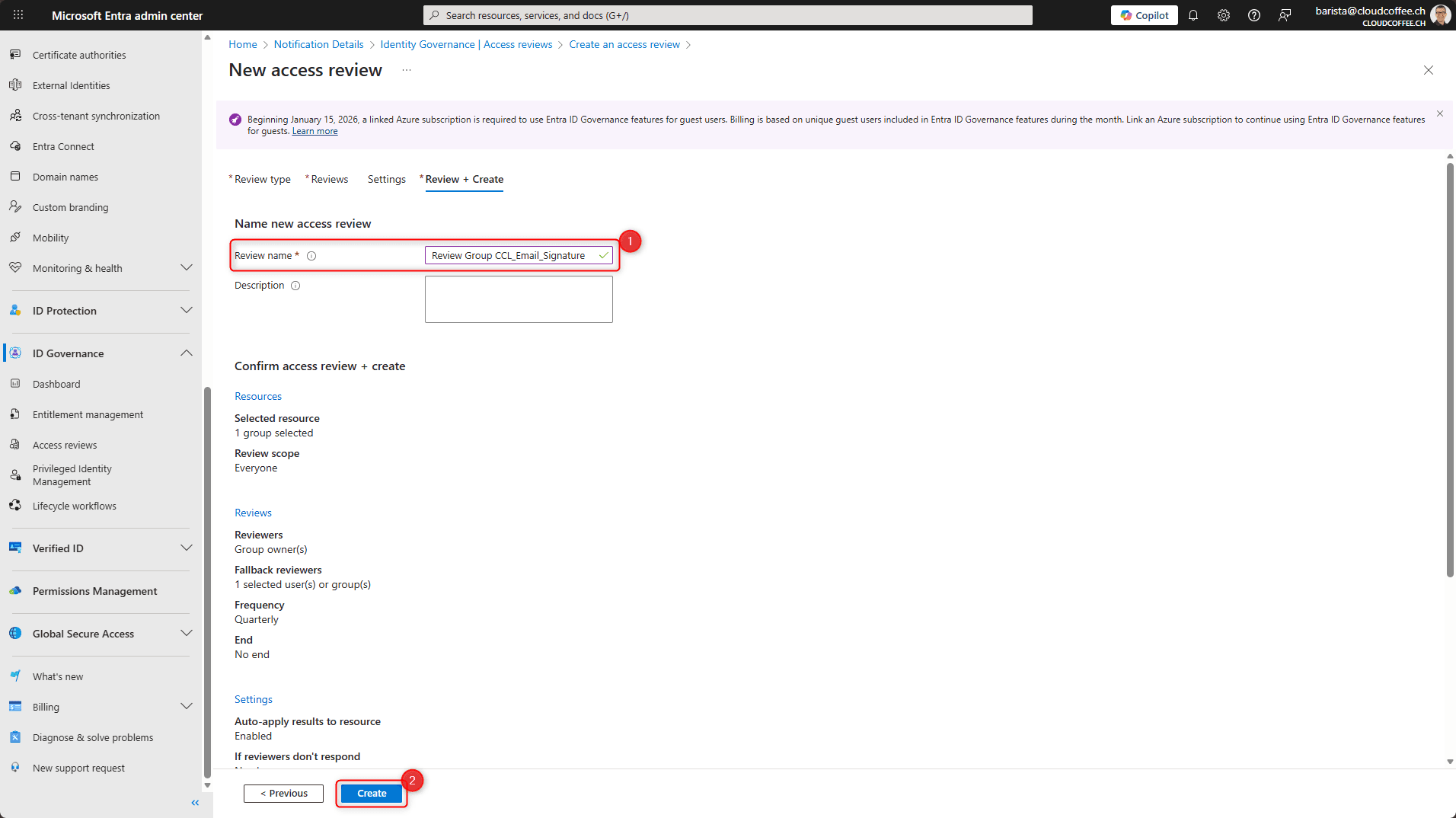
Finally, enter a name for the review (1) and save the Access Review by selecting Create (2).
After saving, the Access Review starts on the specified date.
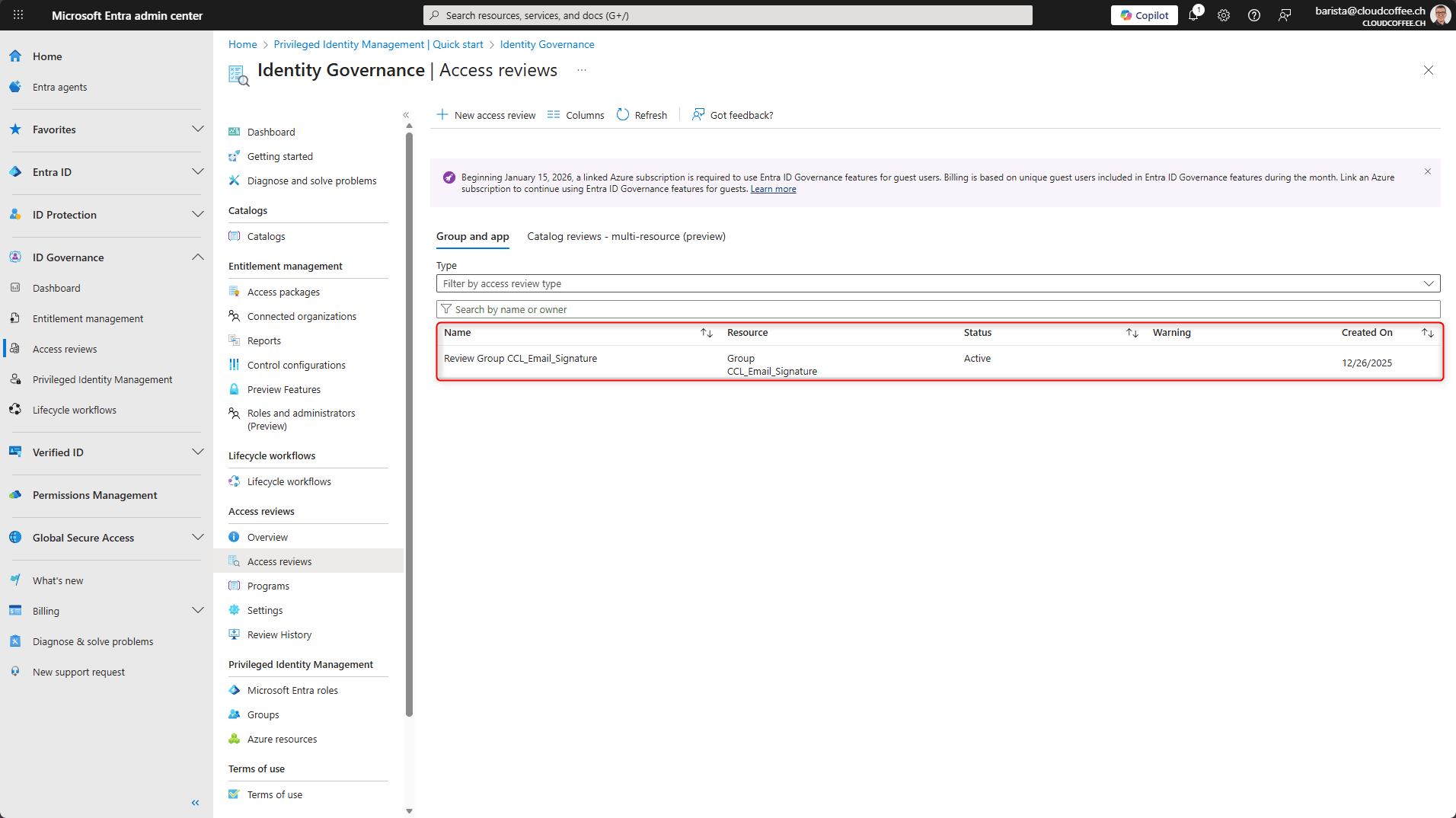
View and Manage Access Reviews
The Microsoft Entra admin center displays the configuration, status and results of Access Reviews.
Microsoft Entra admin center (https://entra.microsoft.com) under ID Governance > Access reviews > Select an Access Review.
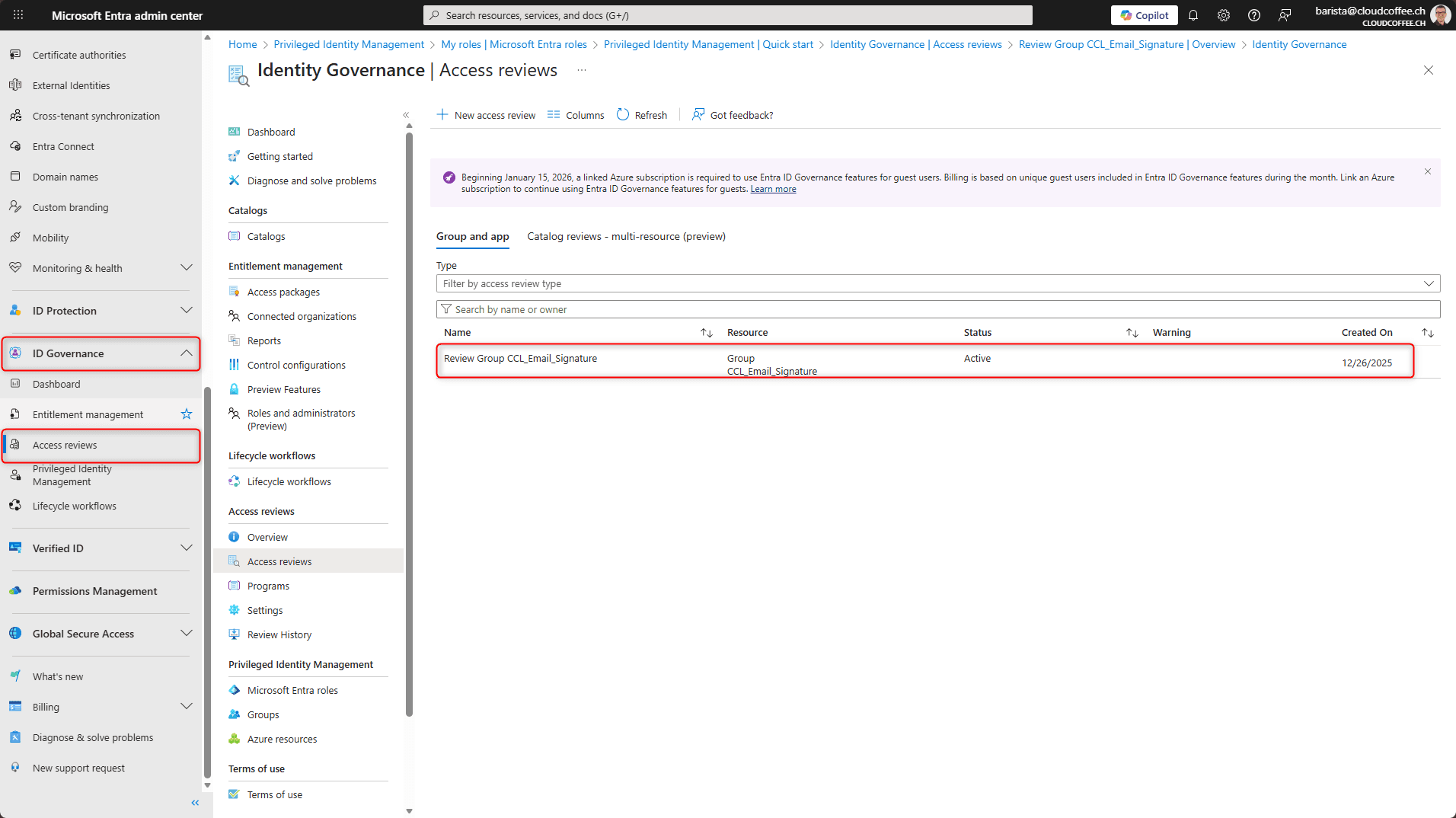
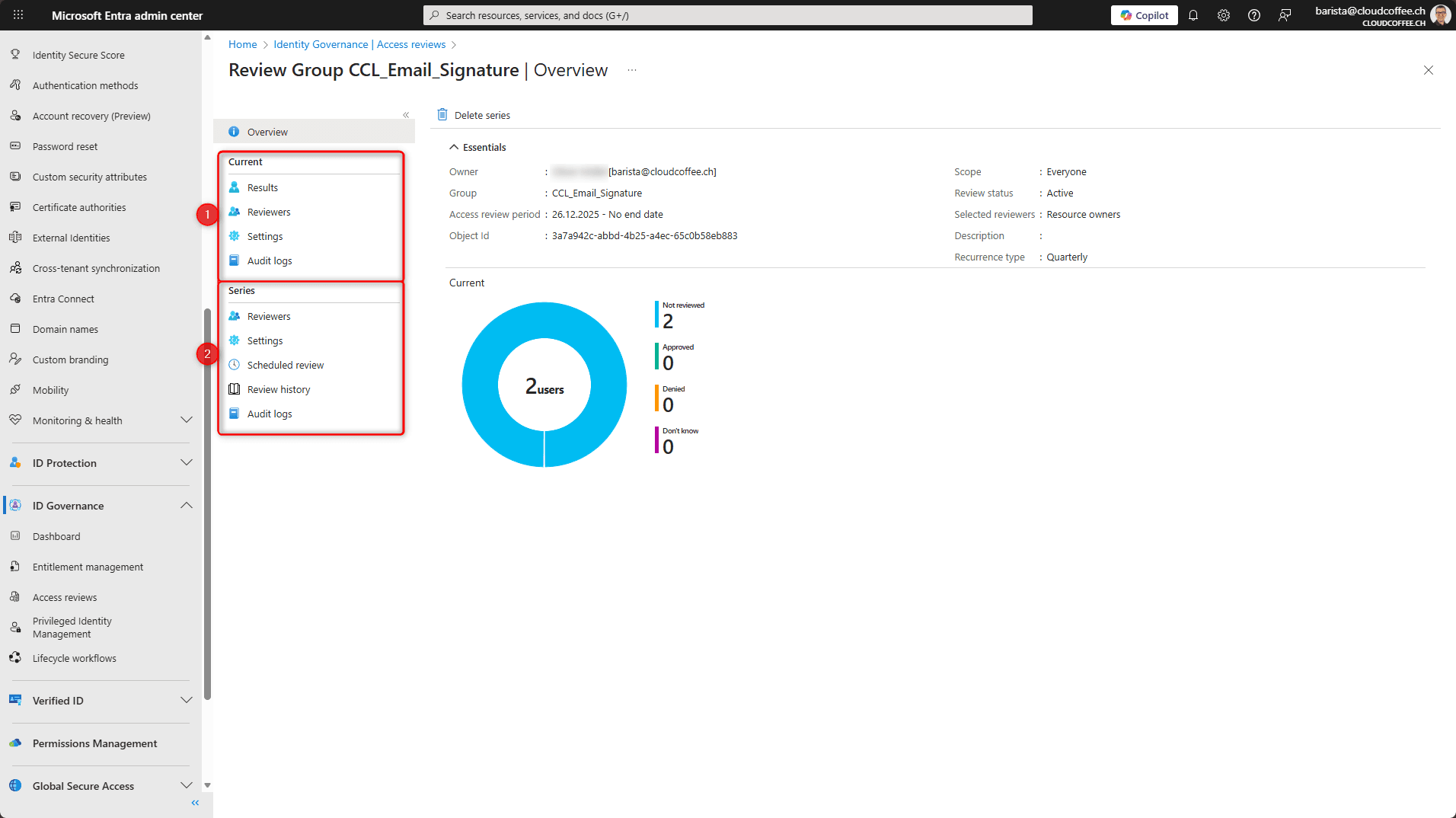
In the following overview, the settings of the currently running Access Review (1) can be adjusted and the results of completed Access Reviews as well as the configuration of future Access Reviews (2) can be viewed.
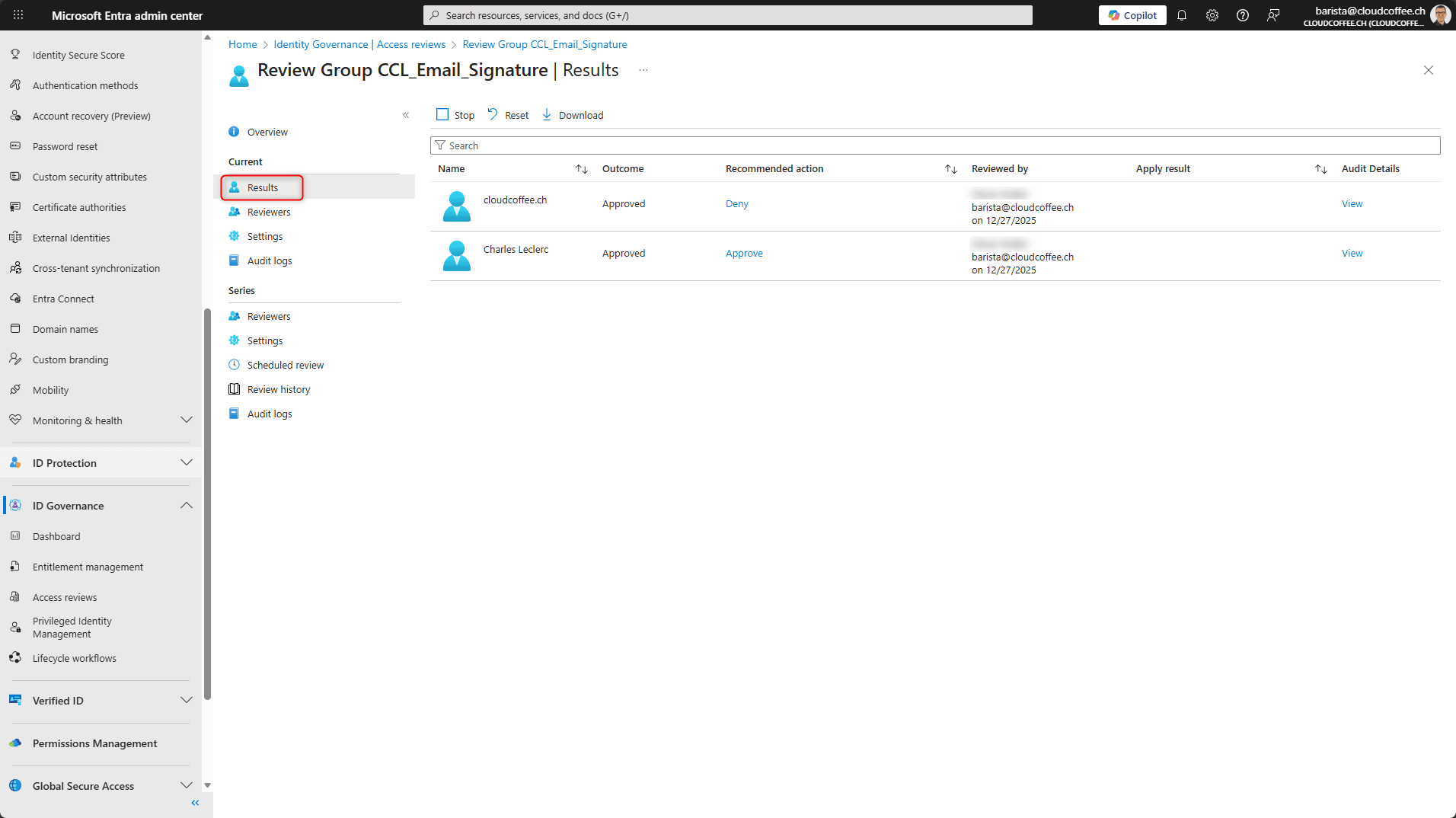
The progress of an active Access Review is also displayed under Results.
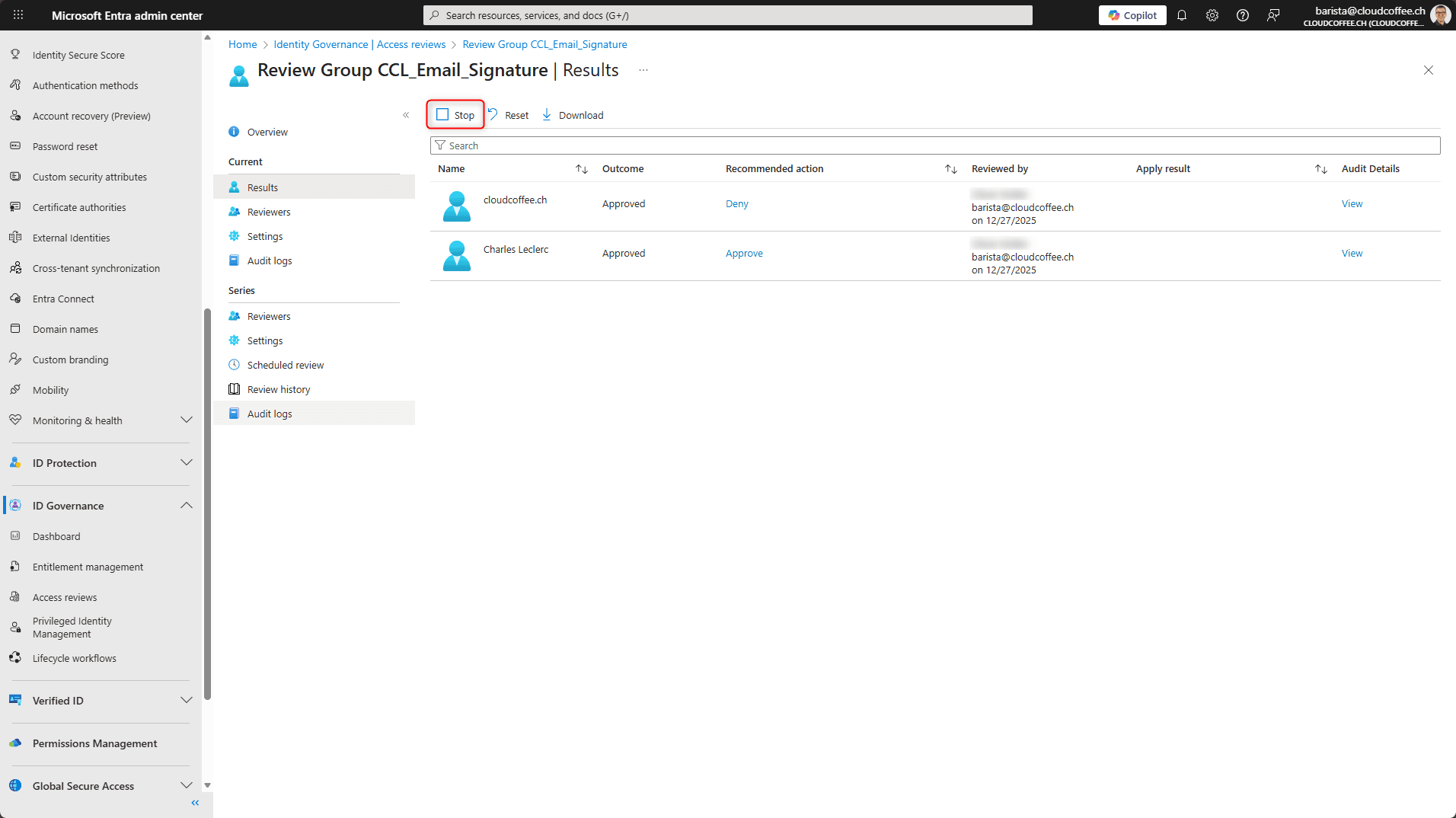
Once the defined period has elapsed, the review decisions are applied according to the configuration (automatically or manually). Alternatively, the Access Review can be completed manually by selecting Stop.
Access Reviews from a Reviewer’s Perspective
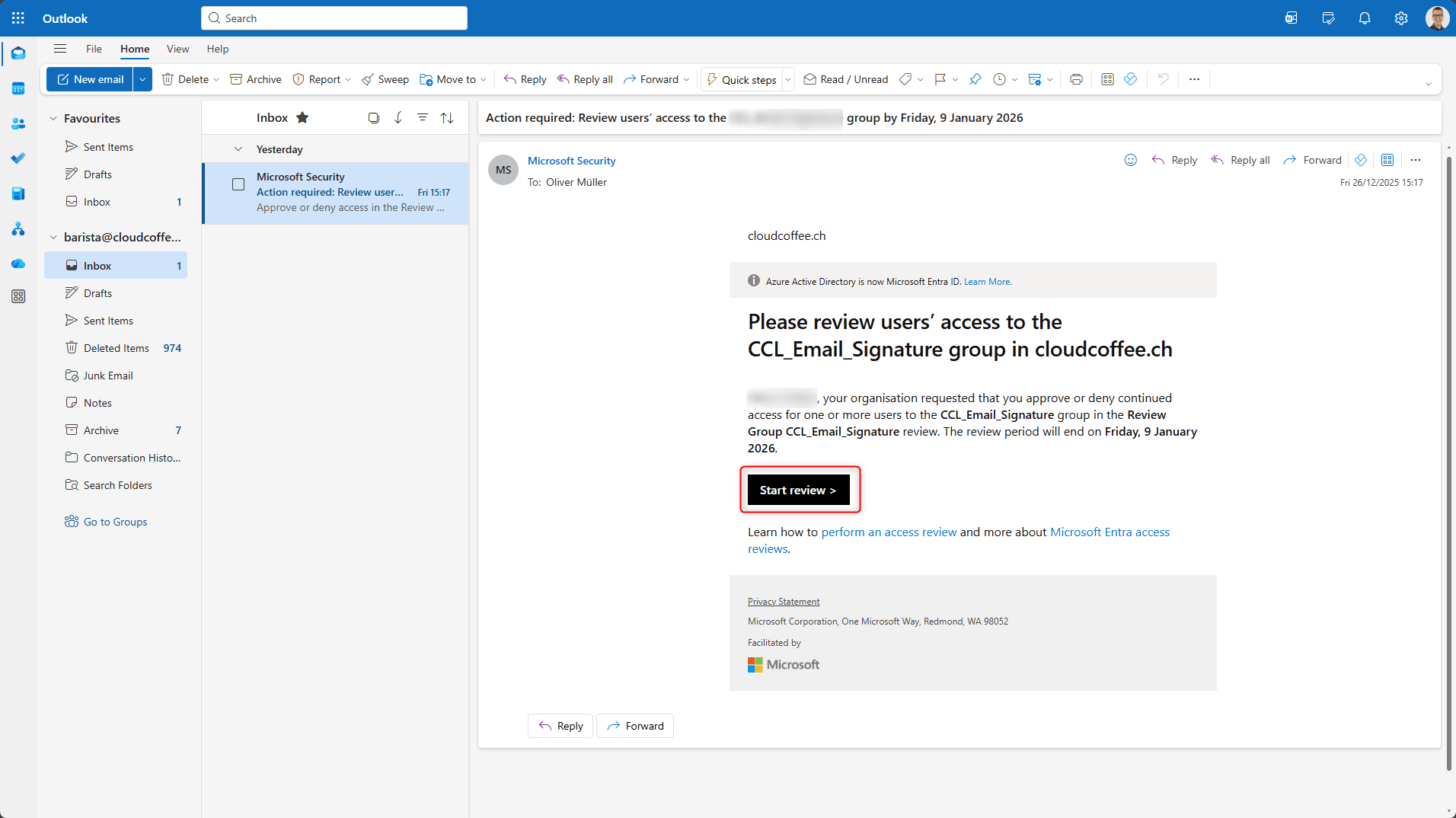
At the start of each Access Review, reviewers receive an email. Selecting Start review opens the review experience.
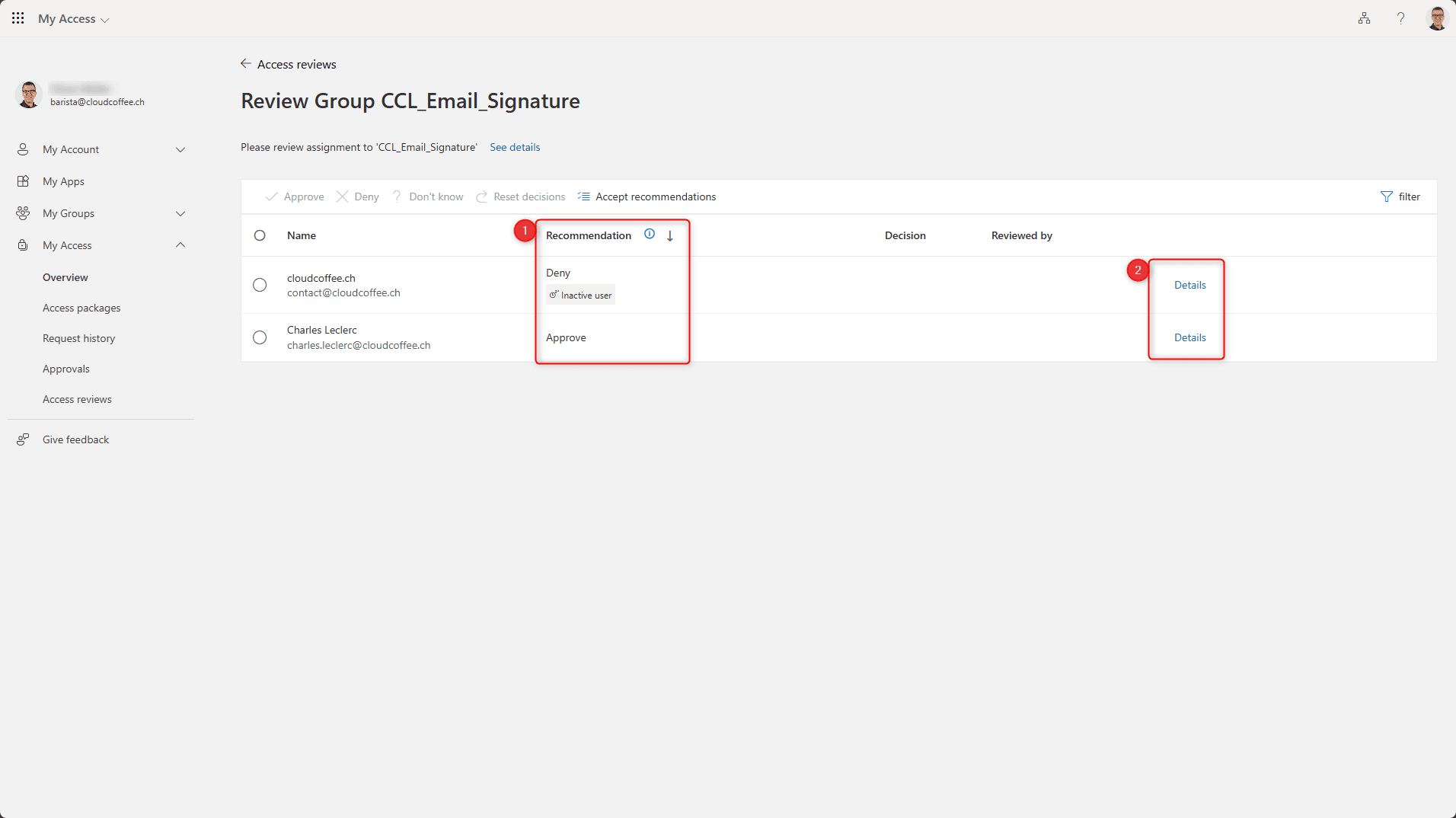
After opening the Access Review, an overview is displayed that lists all members of the group under review. Under Recommendation (1), Microsoft Entra Access Reviews suggest an appropriate action for each user account. Additional information about the user account can be viewed under Details (2).
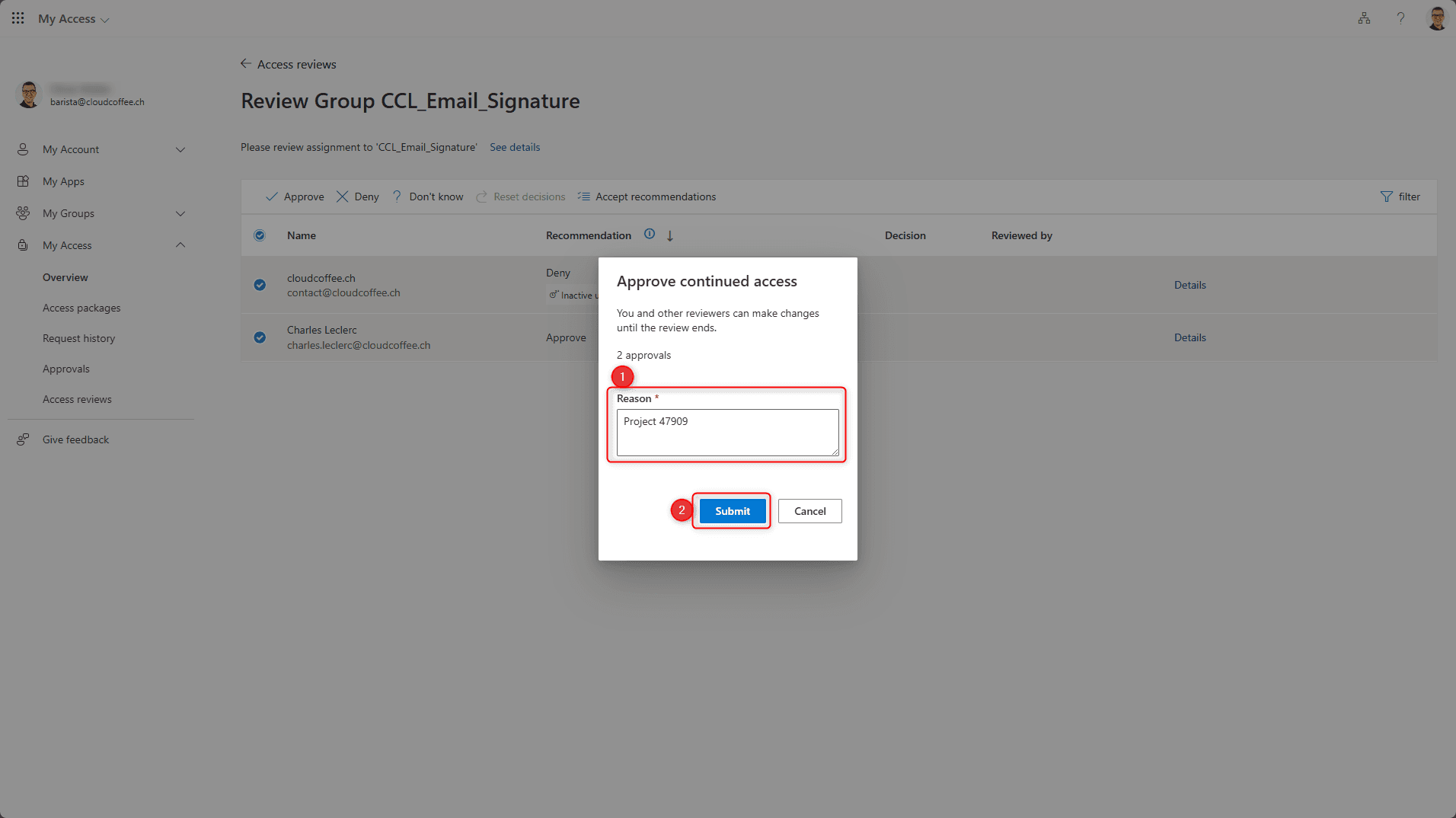
Select one or more users (1) and choose the action (2).
The available actions are Approve, Deny, Not sure, Reset decisions and Accept recommendations.

Enter a justification (1) and select Send (2).
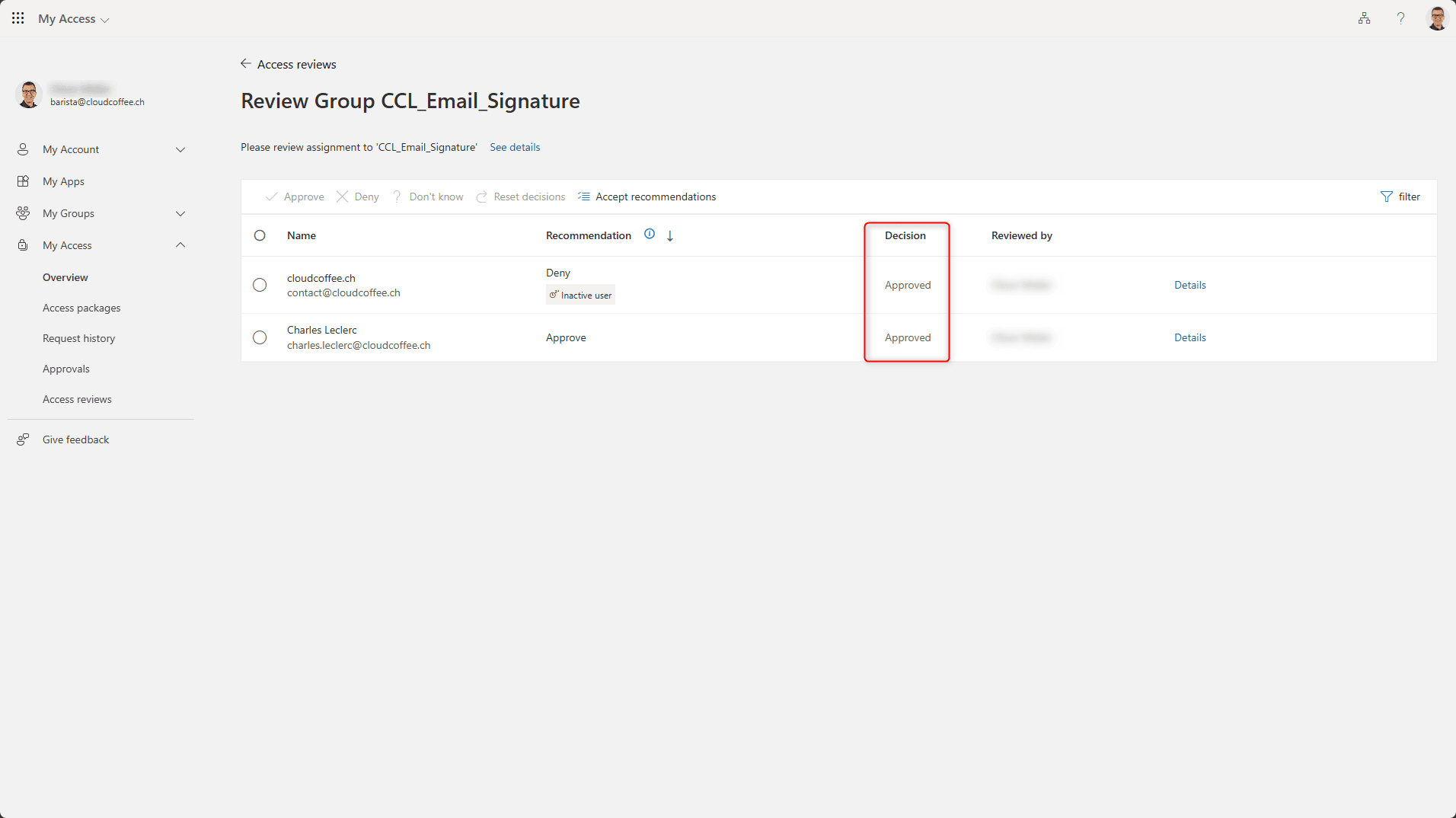
The action to be applied is displayed in the Decision column.
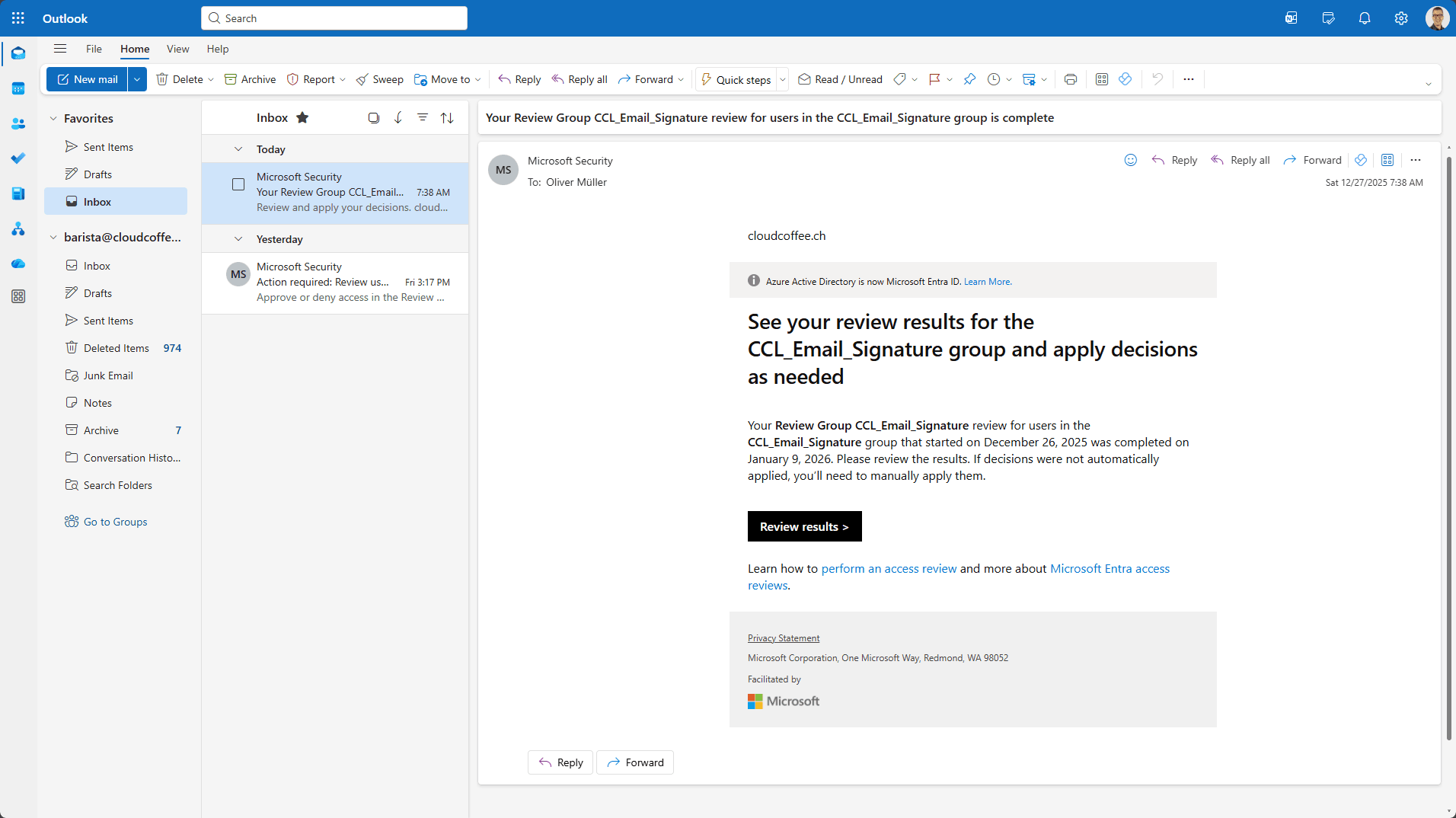
The reviewer is notified by email when the Access Review has been completed.
Conclusion
Microsoft Entra Access Reviews enable regular, auditable reviews of user and guest memberships in Microsoft Entra groups and are a central element of Identity Governance. Recurring reviews, defined reviewers, decision recommendations and auditing establish a controlled process for cleaning up group memberships. The automatic application of review results reduces obsolete memberships and lowers the risk of overprovisioned permissions.
Fresh content, explained with practical relevance. Stay up to date via LinkedIn and Bluesky.


No marketing. No noise. Just content.
If this post was helpful, a coffee brings back the rich aroma behind the writing.